Thank you! Your submission has been received!
Oops! Something went wrong while submitting the form.
MENU
Frameworks and how-tos for designing learning experiences that keep students engaged from start to finish.
You've built the knowledge. You've mapped out the curriculum. You've maybe even recorded a few lessons. Now comes the question no one told you would be this consequential: where does your course actually live?
The answer isn't just a technical detail. The platform you choose to host your course determines how reliably students can access it, how securely your content is protected, how your brand shows up in the world, and how much control you retain over everything you've built. Get it wrong, and you're dealing with slow video loads, content security risks, and a URL that ends in someone else's name. Get it right, and your course business runs quietly in the background, 24 hours a day, 7 days a week, while you focus on teaching.
This guide breaks down exactly what a course hosting platform is, what separates a strong one from a weak one, and how to evaluate your options before you commit.
Before we get into features and comparisons, it's worth getting clear on what hosting means, because the word is often used loosely in ways that obscure the real decision you're making.
When you host a course, you're choosing a technical infrastructure to store and deliver your content: your videos, your PDFs, your quizzes, your lesson pages. That infrastructure determines load times, uptime, content security, and scalability. It's the foundation everything else is built on.
A course hosting platform is a service that manages this infrastructure on your behalf. You upload your content. The platform stores it, compresses it, distributes it through a delivery network, and makes it accessible to your students anywhere in the world. The best platforms also layer on the tools you need to actually run a course business: enrollment management, payment processing, custom branding, analytics, and student communication.
Here's a distinction that changes everything about your business model.
A course hosting platform gives you control. You set your own pricing, own your student list, and build under your brand. The platform provides the infrastructure. You run the business.
A course marketplace, such as Udemy or Skillshare, is different. The marketplace hosts your content, but they also control the pricing, take a significant cut of your revenue, often 30–50%, and own the relationship with your audience. Your students are their students. Your traffic belongs to their platform.
The shift away from marketplaces is a growing trend among serious creators, and for good reason. When you learn what you can build and sell on Teachable, the picture becomes clear. Building under your own brand, on a platform you control, is the sustainable path.
Here is the thing about infrastructure: it's invisible until it breaks. When it breaks, whether that is a video that will not load, a checkout page that is down during a launch, or a student who cannot access the course they just bought, you feel it directly in your revenue and reputation.
The global online learning market continues to grow rapidly, with EDUCAUSE and major research organizations tracking sustained enrollment growth across every segment of online education. More creators are entering the space every year. That raises the bar. Students have options, and a technically unreliable experience sends them elsewhere.
So what does strong hosting infrastructure actually look like? Six factors matter most.
Video is the heart of most online courses, and it's the heaviest technical lift. A five-minute HD video can easily be several gigabytes. Multiply that across a full curriculum, add students in multiple countries streaming simultaneously, and you understand why video delivery is where platforms either earn trust or lose it.
What you want in a video hosting setup:
Video delivery quality directly affects your completion rates. Students who experience buffering or failed loads do not persist through the course. They abandon it.
Uptime is the percentage of time your course platform is up and available. It sounds abstract until you realize that a platform with 99% uptime is down for roughly 87 hours per year. For a creator running live cohorts or a course that is actively generating revenue, 87 hours of downtime is a serious problem.
Look for platforms with published uptime commitments of 99.9% or higher, along with transparent incident history.
Your course content has commercial value. It is your intellectual property and your revenue source. Your students' personal and payment information is also on the line. Security is not optional.
The markers to look for:
Your course school lives at a URL. That URL tells your audience a lot about you. A school at yourname.teachable.com communicates something different from courses.yourname.com. Only one of those options is building long-term brand equity.
A strong course hosting platform gives you a custom domain on any paid plan, with no subdomain that includes their brand name. The DNS setup should be well documented, and the platform should automatically provision SSL for custom domains so your students see the padlock, not a security warning.
Hosting video is table stakes. The best platforms also support a full range of educational content formats, because diverse content types are not just about preference. They are about learning science.
Research on online learning consistently shows that courses using multiple modalities, including video, text, audio, quizzes, and downloadable resources, produce better learning outcomes than single-format courses. Your hosting platform needs to support the full curriculum you want to build.
Look for support across:
Hosting your content is only valuable if you can control who sees it and under what terms. Strong hosting platforms give you granular control over content access:
Before committing to a platform, run it through these questions:
If a platform cannot clearly answer any of those questions, that is your answer.
For a deeper look at how to evaluate your options overall, our guide to choosing an online course platform walks through the full decision framework, from pricing to marketing tools to payment processing.
Teachable is built as a course hosting and selling platform, and the technical infrastructure behind it reflects that purpose. Here is what is running under the hood.
Teachable runs on Amazon Web Services (AWS), one of the most reliable cloud infrastructure providers in the world. AWS powers a significant portion of the internet's most critical applications and provides enterprise-grade reliability, redundancy, and global availability.
Video content on Teachable is hosted and delivered through the Hotmart Video Player, a purpose-built video delivery system that handles compression and adaptive delivery automatically. When you upload a video, the player generates multiple resolution versions ranging from 240p through 1080p. Playback quality adjusts to each student's connection speed without any manual encoding on your end.
Teachable supports video file uploads up to 20GB, which provides enough headroom for high-quality, full-length lessons across a multi-module curriculum. You can also add subtitles and automatic translations directly within the player.
If you prefer to use external video sources, Teachable also supports embedding Vimeo and YouTube videos via a custom code block, which is useful if you are hosting supplementary or preview content elsewhere.
Teachable strives for and generally exceeds 99.99% uptime for both instructors and students. Your school runs continuously. There is no office-hours model where your courses are unavailable. Students can access content at 2 a.m. in Berlin as reliably as noon in New York.
Every Teachable school, including those using custom domains, receives automatic SSL certificate provisioning. Your school is HTTPS by default. There is no manual setup, no third-party SSL service to purchase, and no renewal to remember.
This also matters for SEO. Google factors HTTPS into search rankings, which means a securely hosted school performs better in organic search than an equivalent HTTP site.
Teachable holds a SOC 2 Type II accreditation, which is a rigorous third-party security audit that reviews not just a single snapshot of security controls but their effectiveness over time. SOC 2 Type II covers how customer data is stored, accessed, monitored, and protected across Teachable's infrastructure, software, policies, and operations. It is the standard security benchmark for serious SaaS platforms.
Teachable is committed to full compliance with the EU General Data Protection Regulation (GDPR), which governs the rights of EU citizens over their personal data. If any of your students are based in Europe, and for most creators some will be, GDPR compliance is not optional. Teachable handles the compliance framework so you do not have to build it yourself.
Videos on Teachable include enhanced piracy protection built in. You can also control download availability at the individual file level and toggle off the download link for specific lessons if you want students to consume content within the platform only. Combined with enrollment-based access control, your content is accessible to paying students and protected from everyone else.
On any paid Teachable plan, you can connect a custom domain to your school. You can maintain up to 10 domains in your account, which is useful if you are running multiple brands or testing domain strategies, with one set as your primary. Teachable provides full documentation for DNS configuration, including guidance for schools using Cloudflare for domain management.
The result is simple. Your school lives at courses.yourname.com, not at a URL that promotes someone else's platform.
Teachable's hosting supports everything that goes into a complete course:
If you are ready to take the next step, here is how to create an online course, from curriculum design through uploading and launching. When you are ready to go live, publishing your first course on Teachable walks through the final setup steps.
Even with the right platform, a few hosting mistakes are common enough to flag upfront.
Using a marketplace when you need a platform. If you want to build a real business instead of just earning supplemental income, you need ownership over your audience and brand. Marketplaces trade control for traffic, and it is usually a bad trade.
Ignoring video file quality: Uploading compressed or low-resolution video to save upload time creates a permanently inferior experience for students. Record and upload at the highest quality your budget allows. Let the platform handle compression for delivery.
Skipping the custom domain: Your default platform URL is fine for testing, but it is not fine for launch. A custom domain costs under $20 per year and dramatically improves how your school is perceived. Set it up before you go live.
Forgetting about mobile: Most of your students will access your course on a phone or tablet at some point. A good course hosting platform delivers content responsively across screen sizes. Test on mobile before you launch.
Not checking what happens to your content if you leave. Before you commit to a platform, understand the export and migration policy. You should own your content and be able to take it with you.
Your course is only as good as its delivery. The most thoughtfully designed curriculum in the world falls flat if students hit buffering video, get a browser security warning, or can't find your school because you're buried under someone else's branding.
Choosing the right course hosting platform isn't a technical decision you make once and forget. It's a foundational business decision that determines how reliably you can serve your students, how securely your content is protected, and how much of your business you actually own.
The good news: when the infrastructure is solid, you stop thinking about it. You create. Students learn. The business grows.
Over 150,000 creators have built their course businesses on Teachable and we havecontributed to over $10 billion in creator earnings globally. Start your free trial and see what it means to host your course on infrastructure built to last.

Your business goes far beyond your courses. There’s an entire strategy behind every decision you make as a creator. So, that’s exactly why we’re adding two new features to help you reimagine your course strategy entirely and help you further grow your business—introducing free trials for student subscriptions and limited course access duration.
With these two features, you have even more control over your business’s marketing plan and will be able to convert a casual audience into a meaningful customer base. In fact, we believe in free trials and limited course access as marketing tools so much that we integrated them into Teachable so you can see the benefits for yourself.
And we have a feeling most students do as well. Now, we’ve made it simple for you to offer free trials for subscription-based courses or memberships. We know not everyone likes to jump head first into the deep end, so we gave you the ability to let students wet their toes with your courses first.

Many of our Teachable creators have found ways to offer free trials for online courses. We’ve now made it official to help you convert paying students. You can seamlessly offer a free trial with your subscription pricing options. Now students can get a sneak peek of your course for a limited time before being billed.
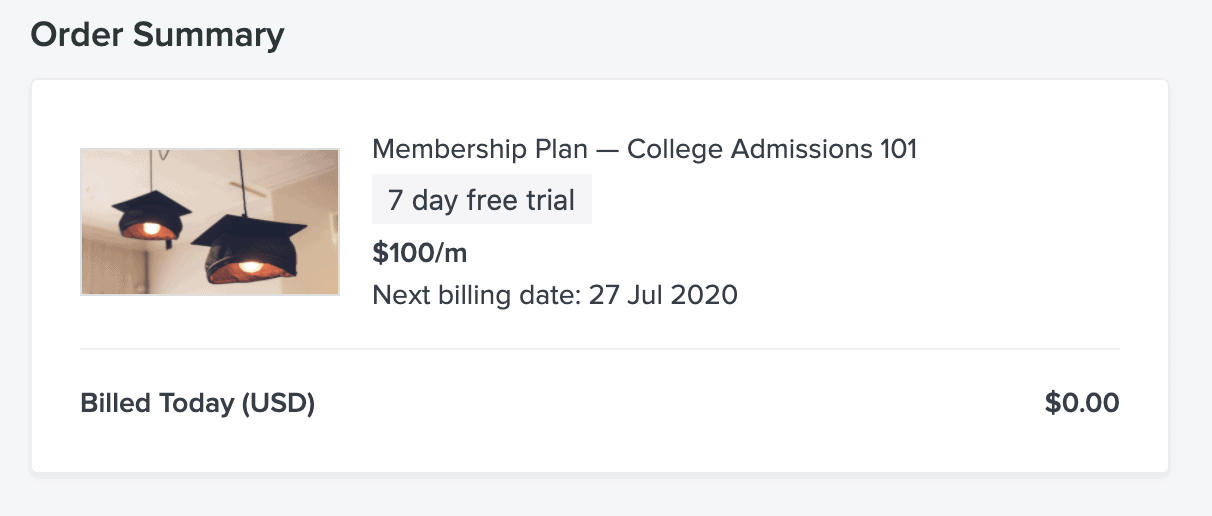
On your check out page, students will see your designated free trial period—we leave that part up to you. From there, they simply provide their credit card info to enroll. Then they are billed for the subscription once the trial period ends. It’s really that easy to give students a taste of your courses and for you to unlock a whole new cohort of eager students to convert.
Outside of appealing to everyone’s love of all things free, offering free trials helps acquire new audiences entirely. It also introduces current students to new courses or subscription options, and lowers the barrier to entry for first-timers, making it a powerful marketing tool.
Your knowledge and time are two of the most precious commodities you have as a creator. One of the best ways to highlight the value of your knowledge-packed course is to put a time limit on how long your students can access it. Restricting the time a student has access to a course is an impactful way to incite motivation. It can get students to enroll, encourage immediate action once enrolled, and energize students to continue services once the trial is up. Most importantly, it can generate more revenue for your business.
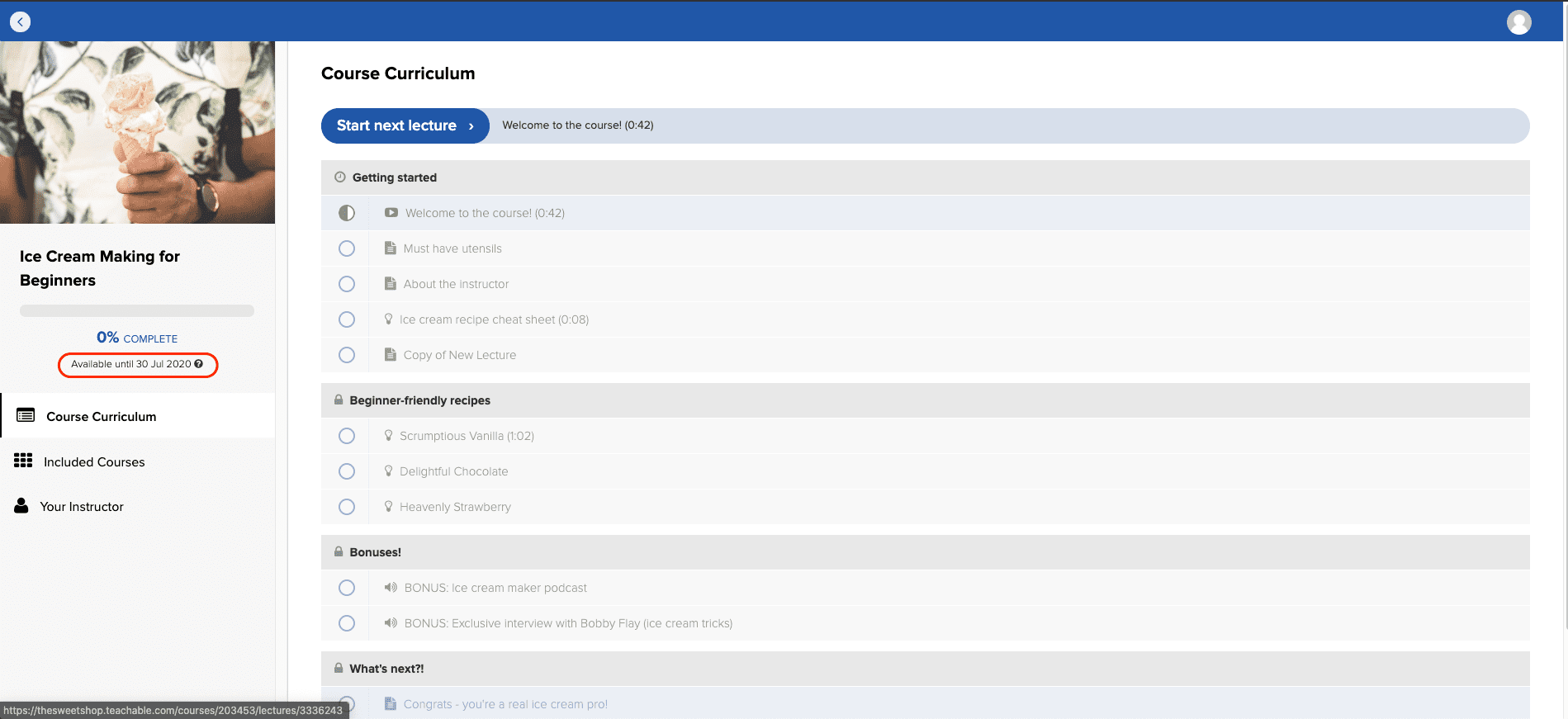
We heard when you said you wanted an easier way to control course access duration. Now you can implement parameters and set exactly how long students have access to your courses for the Free and One-time Purchase pricing options.

To enable limited course access duration, choose the Enrollment expiry setting. Then select the date you wish to end student access. Students will see the end date and have the ability to repurchase your course post expiration. Thus providing you more opportunities to make sales.
Maybe you want to drum up buzz for your course. Maybe you want to offer it for free for a short time to acquire more potential students. Or maybe you’re not quite sure how students will take to the course so you’d like to offer it for a cheaper price in order to get some valuable user feedback. Whatever your reason for limiting your course access, assigning a limited time to your product only encourages action even more.
Both of these features give your free trial for your online course added value. You’ll have more leverage over your business’s marketing strategy. Beyond that, you’ll have more opportunities than ever to reach your target audience. It’s time to convert casual visitors into paying students.

Imagine this: you’re the go-to person for project management. You have more than seven years of Excel experience. After answering all the same questions and doing the same one-off projects, you have an idea in your head—one that could get you paid. All your knowledge could make for a great e-book or online course. Whatever you’re dreaming up in your head, Teachable can make it a reality. We provide you with the tools to build your online course and productize your knowledge into a business. Whether it’s a pre-recorded curriculum or a combination of live and pre-recorded, you can build it on our platform.
Here’s a quick overview of the type of products you can build with the Teachable platform.
Build your online course with a self-paced curriculum that offers students a meaningful transformation and a series of milestones they’ll hit to get there. A standard online course is digestible and robust. It also gives your students the flexibility to progress at their own pace and allows access to all of your content right after purchase.
For instance, this could look like building an online course about the basics of project management. This course promises to prepare students for an entry level project manager job.
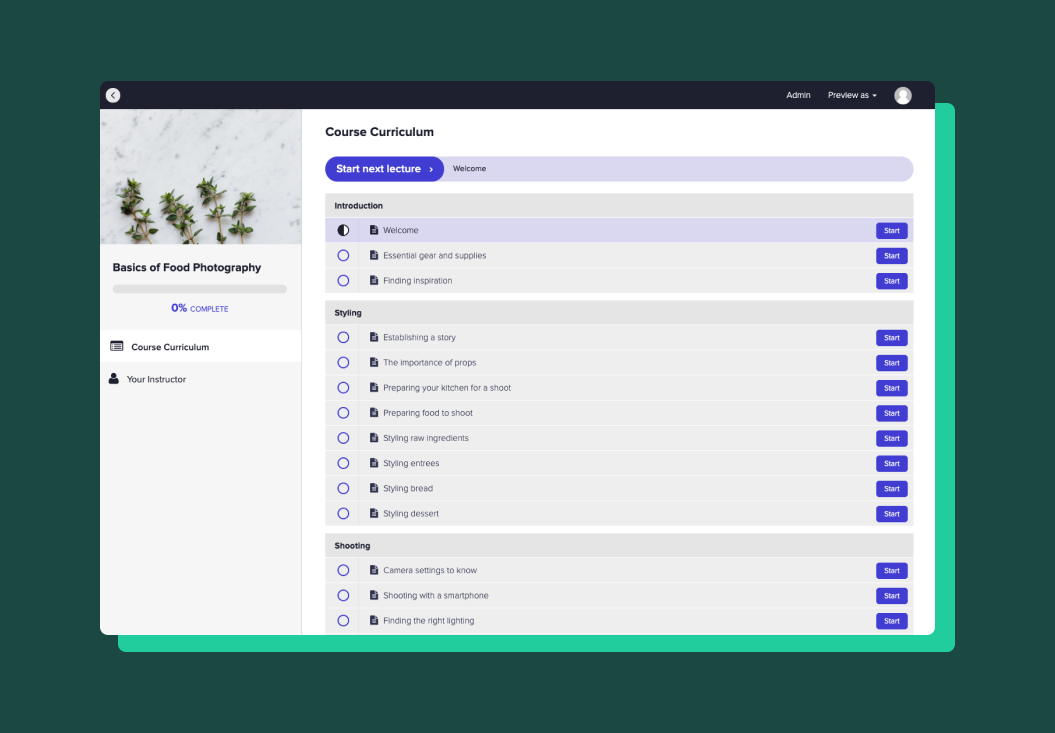
If you wanted to test out an idea for a course first or wanted to get a smaller course out ASAP, you should start with a mini- course. A mini-course is a short, valuable version of a standard online course. You want to build this online course to focus on one very specific topic. This is where students can learn the content in just a handful of steps. It can be a sneak peek into what your standard online course offers. In fact, it’s a common strategy to take one of the sections out of their standard online course and offer it as a mini course.
As the name suggests, this type of course is structured around scheduled live sessions that you’ve set up prior to student enrollment. Within the course, you can provide helpful resources that all your students will need to supplement your live course:
Plus, you can upload all replays from live sessions. Because of this, anyone who missed your event or wants to revisit the content is able to do so. For the creator with Excel expertise, this could be a series of live workshops on different Excel case studies.
Think YouTube how-to tutorials—except instead of giving completely free access, you can capture students’ email addresses to follow up with additional content. If your standard course is on project management basics, then you can offer a free tutorial. This could be a chapter on accountability. Overall, this is a great way for you to build your online course audience and to gauge interest for your content.
Cohort-based courses are courses with a more traditional academic structure you may have experienced in school. Build your online course that is designed for students to finish in three months (or whatever time frame you want). After the specified time, students will lose access to the course so they are incentivized to complete it. Or, they can repurchase at a discounted price for longer access.
This type of course allows you to re-launch it every three or six months. You can have a smaller group of students, which allows students to have a community experience and more access to you as a teacher.
Drip courses are courses where you release content one module or section at a time. This type of course is best used if you are pre-selling your course or you want to keep students engaged. Because you’re limiting the content they get access to, students aren’t immediately overwhelmed and cannot jump ahead. Plus, drip courses allow you to create, prepare, and update course content right before you roll it out to your students. With drip, you can release each section after a specified period of time or on a specific date.
{{minicourse-component="/blog-shortcodes/blog-popup"}}
Companies want to provide their employees with software and skills training. Professionals want to find ways to level up on the skills they have to put on their resume. You can create software/skills training on Teachable that you can sell in bulk to businesses and à la carte to individuals who are interested. With our easy-to-use platform, you can build an online course that suits any type of skill training.
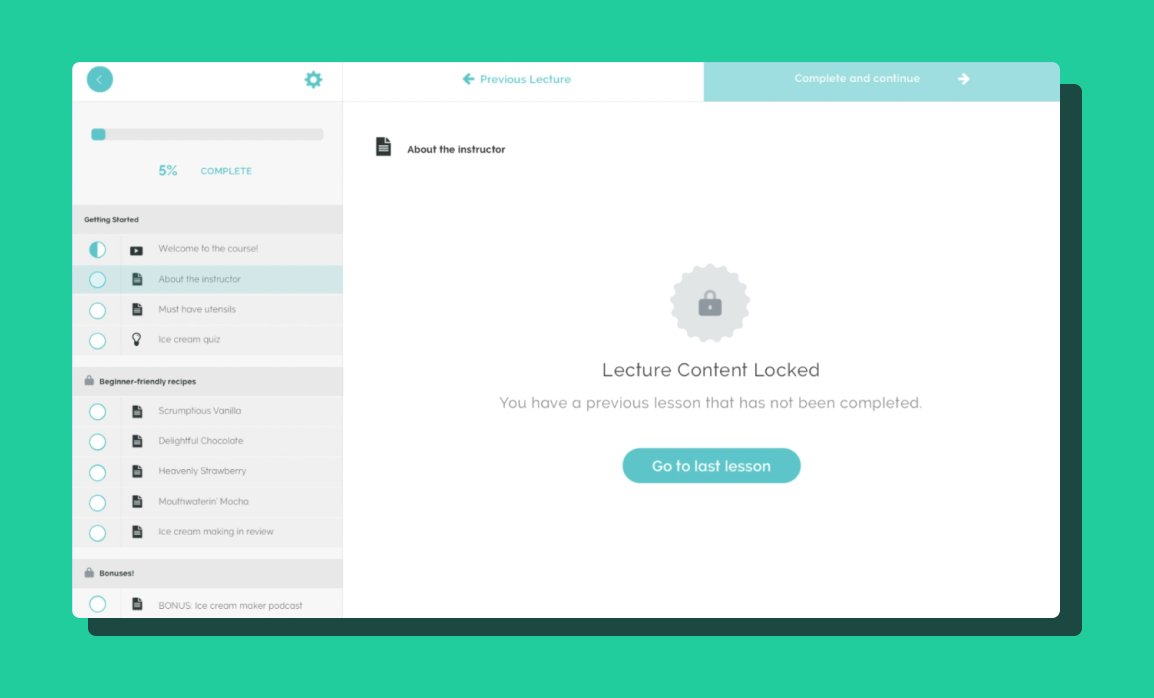
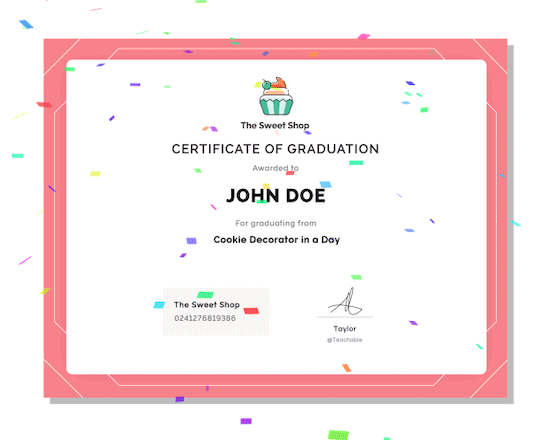
Certification training offers a certificate that guarantees all students have completed and obtained the skills taught in the training. Certificates serve as motivation for students to pass all quizzes in order to receive them. They also serve as external validation of knowledge. As such, certification courses have enforced lesson completion, enabled video compliance, and minimum passing quiz scores. Once your student completes the course, they’ll automatically be awarded with a certificate of completion that you can design and keep branded.
One-on-one coaching or consultations are usually short, one-time bookings where you are able to offer your expertise. If you are a blogger, you can offer a keyword or editorial calendar consult. If you are a vocal coach, you can offer a one-hour vocal coaching session. These are simple and fast options you can offer to your audience.
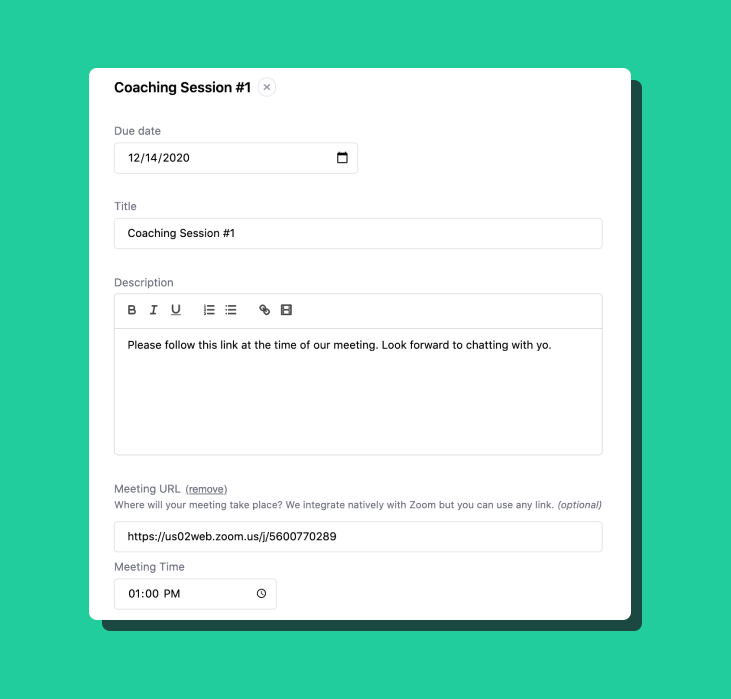
Coaching packages are for coaching topics that require more than just one session. For topics that require weekly coaching sessions and a longer time with your students, you can create coaching packages for eight weeks or six months. You can schedule, meet, and document all progress notes all in one place on Teachable.
A course marketplace is where you have a variety of courses on different topics, created by different people. Bring in your network of course creators and do all the backend work to get their courses set up. All courses will be hosted in one place where students can filter by categories and authors and find the course that’s the best fit for them. Plus, you can set the author commission for courses. Don’t worry, we handle the payouts to your authors, as well.
Course bundles are a bundle of courses you’ve created. If you’ve created multiple courses on similar topics, you can sell these courses together at a discounted price. Take for example, you’ve created a Foundations of Project Management course, Project Management Templates course, and an Advanced Project Management Certification course, you can sell them together as a bundle to help your audience progress through all the material. This is a great way to upsell your audience.
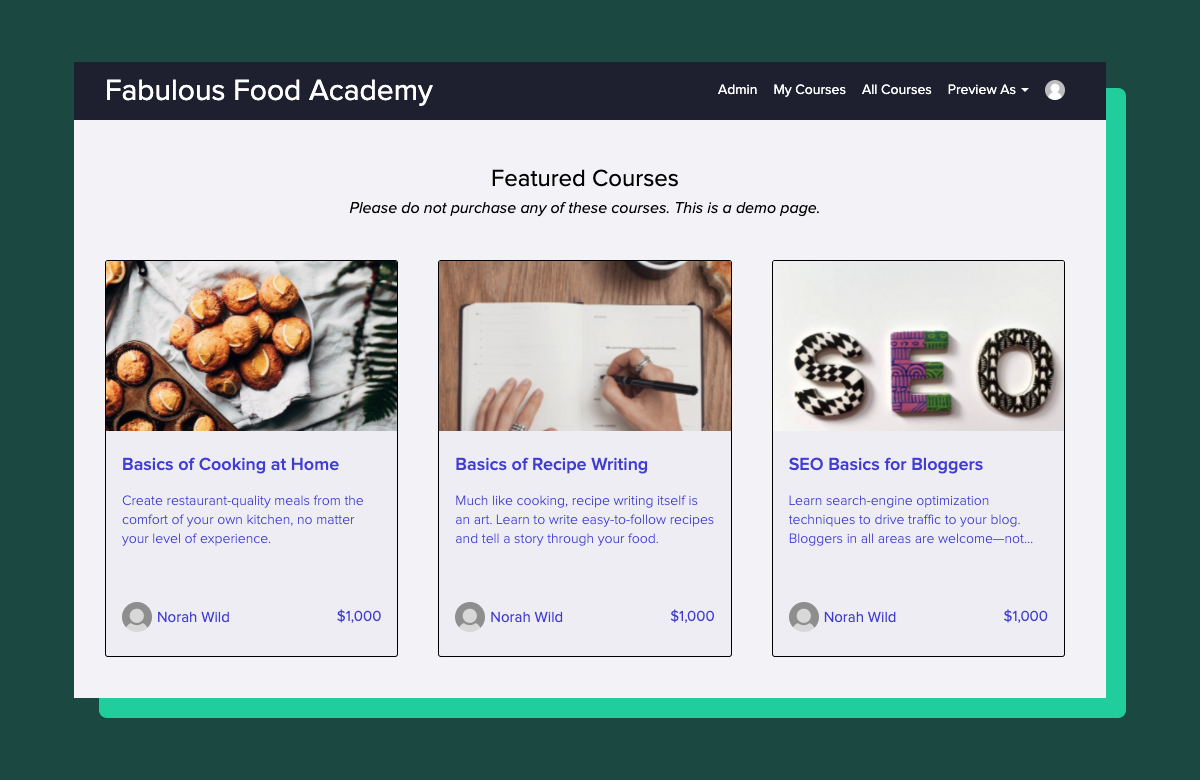
Some course topics are better suited to a subscription model because of the learning behavior related to the subject—take coding or watercoloring, for example. Allow your students to keep subscribing to the course content until they are proficient in the skill before they cancel.
Although Teachable is best known for building online courses, you can also use our platform to offer digital goods. Teachable is a great way to sell and give students access to any e-books, workbooks, PDFs, templates, etc. that you’ve built and curated.
A membership is a hybrid course—one that consists of many of the options listed above together. Memberships are typically subscription-based and consist of pre-recorded course elements, live sessions, and one-on-one coaching and engagement with (and between) students.
Beginning to see how the course you are dreaming up in your head can be a reality on Teachable? We can, too. If you are still unsure how this might look, register for our on-demand QuickStart Webinar and get a in-depth look at what our platform can do for you.

When it comes to launching online courses, there is no one “right way” to do so. Sure, we have our standard recommendations that work best for many schools, but like anything, there are exceptions to every rule and what works best for one instructor may not be the best option for you.
We all have our own unique audiences and business models, so of course, we’d want to structure our launches to appeal to the fanbase we’ve worked so hard to grow. But it can be difficult to understand the different launch methods, and even harder to decide which is best for your business. This post will walk you through the different launch methods, their pro’s and con’s, and who they tend to work the best for.
Having an evergreen course launch means that you’ll launch your course once and then it’ll be available from that moment on. We most often see this type of launch with course instructors who have an entire school full of multiple courses for their students to choose from. With that said, there are plenty of instructors who only have a course or two and keep it evergreen indefinitely.
They work wonderfully for some businesses, not so great for others. (Don’t you just love vague answers?) So who do evergreen courses work for?
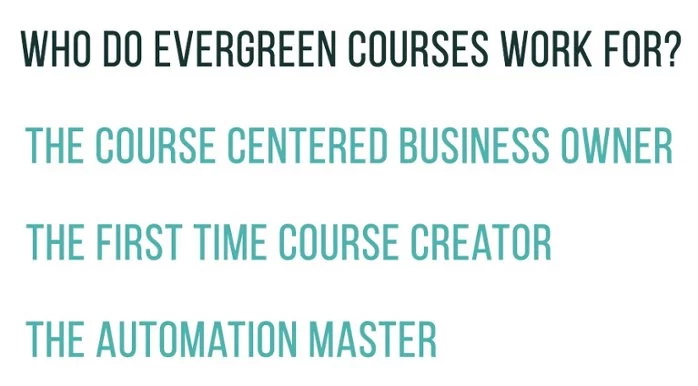
The very busy entrepreneur who has multiple revenue streams. We have thousands of instructors who all have different business models. If you want courses to be something on the side to bring in a little extra cash without much stress, evergreen launches may be for you.
The academy creator who plans on have dozens, or even hundreds, of online courses. You’re the ones who are churning out online courses like it’s your job (and maybe it is!) and there is no way you could possible do open–close launches for every single one. It makes more sense for you to promote your school as a whole rather than each of your individual courses.
Someone with a huge fan-base who many new people coming to their site every day. If you have a large and engaged audience, chances are they’ll buy whatever you create no matter how you launch. These are people whose audience is invested in both their businesses and in them as a person.
Here’s the deal: evergreen courses can be something you launch once, add a link to on your website, and then forget about completely. Or, while you’re launching you can put systems in place to automate promotion and keep your evergreen course profitable throughout the year.
Write an actionable blog post that can serve as a precursor to your online course and entice people to buy. The blog post should be thorough and really show your expertise. Optimize it for search terms your potential students will be Googling, and make sure it’s something that will be relevant year round.
There should be a call to action urging people to check out your online course. You can publish this on your own website if you have traffic, otherwise consider posting it on Medium or Quora.
Make sure that this blog post is evergreen and will be relevant no matter when your audience finds it. Here is a guide to writing killer evergreen blog content.
Use your favorite automation tools to schedule tweets and Facebook posts sending people to your course sales page and the blog post you wrote promoting your course. Keep the course on your audience’s radar without spamming them with it.
Webinars are a big part of most successful open–close launches, but they can also serve you well in your evergreen course. If you know the first Saturday of every month or quarter you’re going to host a webinar and live Q&A covering your course topic, it can become routine, especially if it’s the same webinar each time. Make sure to offer your live audience an exclusive coupon or bundle to encourage them to buy!
You can also host pre-recorded webinars for this step so you do the webinar live once and then play the same webinar back each month. Warning: Be honest! Don’t try and tell people this webinar is live when it’s not.
Chances are, your business is growing every day and your email list is constantly being populated with new members. Segment your list into people who have and have not received a launch sequence about your course. Depending on how quickly your list is growing, you can automatically start launching to new members every couple of weeks or months.
We see a lot of open–close launches here at Teachable and for good reason. If done right, the open–close model is very profitable and is what a lot of our most successful instructors do. The idea of an open–close launch is that you’ll create the course once, and then host huge launch campaigns several times throughout the year.
These types of launches help create urgency and excitement. Making your course available for only weeks out of the year can give people a “now or never” mindset that pushes them to take the plunge and purchase.
They are profitable and successful if you have the time and bandwidth to execute them the right way. So who open–close courses work for?

Someone whose business model is course-focused and plans on making the majority of their income from online courses. If courses are your online business, it’s worth investing time and trying out the open–close model that works for so many people.
The first time course creator who wants to get a taste of all sorts of launches. If you hate the open–close model, it’ll be easy to open your course up for good. But you never know if you never try.
Someone who is good with automation and can streamline the process. It’s no lie that you’ll see amazing results from an open–close course model, but it comes at the cost of being a time intensive process if you’re not automating all that you can.
If you’re creating an open–close launch model for your online course, know this: There are countless moving pieces to this type of course launch, and no two open close launches are going to look the same.
With that said, there are some elements that will be consistent for most everyone, so we’ll start with those.
If you didn’t already know how psyched about email lists and marketing we are here at Teachable, well, we will tell you. Over and over again we see course creators getting their best conversion rates from their email lists, because the people who sign up for your list tend to be your most engaged fans.
We recommend sending emails over at least 5 days to educate your audience on why they’d want your course, what you have to offer, and how they can buy. But more on that here.
Pro tip: Save these emails. You can repurpose them for your next launch so you don’t have to start from scratch.
While email lists are king, we shouldn’t discount the power of a strategic social media campaign. Let people on your Facebook page and Twitter know about your course, and share about it in different groups you’re in online (after checking the rules, of course.)
Depending on how often you regularly post on social media, schedule promotion posts to go out between once and five times a day. The goal is to make sure your audience is aware of your course without making course promo every tweet in their timeline.
Again: Save these social shares in a doc so you won’t have to start from scratch on your next launch.
Allowing your audience to see the time to purchase your course slip away is powerful. In themselves, open–close courses will create urgency, but your language and marketing should also be working to accomplish that same goal.
This steps converts like crazy whether your launch is evergreen or open–shut. Webinars are a great way to educate your audience on why they’d want to know about your topic, prove you’re an authority, and help forge a connection between you and your audience.
You can incentivize people to purchase by offering exclusive “fast–action bonuses” for your webinar audience. These can be bonuses or discounts that are only redeemable during and directly after your webinar, creating even more urgency.
We talked about the main archetypes who choose each type of course launch, but maybe you find yourself identifying with a mix of personas, or you don’t see yourself in any of the people earlier described. No worries.
Launch strategy is important, but which launch strategy you choose to implement is less so. As long as you’ve got a solid product and an interested and engaged audience, you’re likely to find success no matter which method you choose.
When it comes down to it, think about your business goals, your free–time, and the resources you have available to you. If all else fails, do an open–close launch once to see how it feels, and if it’s not your cup of tea you can just permanently open your course for enrollment.
No matter what launch you’re doing, a solid email sequence advertising your course and urging people to buy is essential. Your launch emails should have two phases: education and promotion. Your goal is to generate demand for what you’re teaching by educating. You need to create an understanding of your product and build trust through high-quality content.
During the education phase you need to educate your audience on your course topic and its value. If you’re teaching an online course on SEO for bloggers, first teach your audience what the heck SEO is. Your following email can let them know how you tripled your blog traffic by focusing on SEO.
Overall, you want your audience to understand that what you’re teaching is valuable and worth their time.
It’s easy to not to want to educate your audience too much for free, the mindset is that if you’re teaching them everything now why would they want to buy? But really, even if you give 20% of your content away for free, that is enough to hook them and make them even more likely to buy.
You should send:
During the promotion phase you can start selling. Let your audience know that SEO changed the course of your blogging career, opened doors you never thought imaginable, and you want to help them reap the same benefits.
Give them a follower exclusive coupon code or bonus that only the people on your email list will get, to create urgency. (This is especially great if your launch is evergreen!) You can have the coupon available for a limited time, or opt to offer it to only the first 100 purchasers.
Want more on launching to your email list? Check out this post walking you through our Crazy 8 Launch Strategy.
{{threesteps-component="/blog-shortcodes/blog-popup"}}
No matter what type of launch you opt for, it’s good to somewhat automate to save yourself time. There are the big obvious ones, like automating email and other small strategies.
This one you’ve probably gotten figured out already. But before launch day, write all of your emails in advance and schedule them into your email marketing program of choice. Have them scheduled and ready to go.
There are a million moving parts when it comes to course launches, and it can be easy to say, “Oh, I’ll write the emails as I send them.” But 10/10 instructors who have tried that will tell you it’s a mistake. You will have enough inbound messaging that you’re not going to even want to think about writing emails throughout the day.
If your audience is large, it might be a good idea to turn on an autoresponder letting people know that you’re launching and may take a bit longer than usual to respond.
No matter how thorough the FAQ page is on your website, people will still bypass it and email you their questions. Having a canned response will save you a ton of time when it comes to answering questions that are being asked repeatedly.
You can anticipate questions like, “How long until the doors close?” or “How many videos are in the course?” As questions come in, you can copy and paste your responses into a Google Doc for future reference.
Ending your emails with, “If you have any more questions, feel free to refer to my FAQ, and if you can’t find your answers there, shoot me an email. Always happy to help!” will help direct people to your FAQ before relying on email.
When you’re busy with your launch you probably don’t want to be spending a bunch of time on social media. Queue your posts ahead of time. It will be one less thing to worry about.
Normally, we’d advise against being too heavy handed with self-promo. However, during your launch you can get away with posting more links to your sales page than usual.
The last piece of advice we want to leave you with is document everything. You might feel like you’re going to remember the nitty gritty details, but course launches move fast. After it’s over, you’re going to have a lot to deal with, so be thorough in noting what works and what doesn’t.
Next time, you’ll have a better understanding of what your audience responds to. This can help you be more strategic in the future and will equal more profitable launches for you.

The way we consume information has undergone a significant transformation. Gone are the days when learners would sit for hours, poring over lengthy texts and trying to absorb vast amounts of information in one go. Instead, they now want quick, focused lessons that fit into their busy lives.
This is where microlearning comes in. Data shows that a 10-minute chunked course has an 83% completion rate, while only 20% to 30% complete regular courses.
Microlearning isn’t just about short lessons, though. It’s about making sure each person can learn in a way that suits them best. Everyone learns differently, and microlearning respects that.
In this article, we’ll find out exactly how microlearning is changing the ways people learn and how educators can leverage it for maximum benefits.
Microlearning breaks topics into short, focused lessons, making it easier for users to grasp and remember. For instance, microlearning is when a geography teacher devotes 10 minutes to each European country in class, instead of boring them for an hour non-stop
As such, all forms of microlearning are tailor-made integrating with Teachable in order to deploy easily digestible, but still effective content.
So, instead of long, overwhelming modules, learners get quick, meaningful bits. This approach keeps learners engaged and helps them retain information better. As a result, you can use Teachable’s no-code capabilities to make use of both your and your learner’s time more effectively.

Here’s how you can use microlearning to grab and hold your students’ attention:
This is all about breaking down courses into smaller, more manageable pieces. Instead of overwhelming learners with a ton of information at once, present it in short, focused segments. It helps promote:
Using multimedia in learning means adding pictures, videos, and audio to regular text. It’s like mixing different ingredients to make a tasty meal. Here’s why it’s good:
Using analytics in learning is like checking a progress report. It uses data to see how learners are doing and where they might need help. With it, you can:
AI is reshaping microlearning, making lessons more tailored and effective. Here’s how:

Online gaming has exploded in popularity, especially among the younger generation. But learning the landscape is not always easy, even if the parent is tech-savvy.
Microlearning can offer quick lessons on various topics, including safe online gaming habits. Think of it as a mini-guide on what to share, what to keep private, and how to spot potential dangers.
For instance, children can enjoy playing MMO games with their parents while learning the essentials of online gaming safety, such as not revealing personal information, being careful about phishing pages, and not being reckless with spending money on microtransactions.
Since these lessons are bite-sized, kids can easily ‘digest’ the knowledge and mentally associate it with a positive experience—precisely because the lessons were short and intertwined with fun activities. The same can be applied to courses and content for adult novices, especially with today’s resources.
Financial responsibility isn’t just for adults. In a world where even kids have access to digital wallets and online shopping, understanding money becomes crucial. Microlearning can introduce them to the basics of money management in a fun and engaging way.
Instead of boring monologues, these mini-lessons explain the concept of saving, the difference between needs and wants, or the basics of budgeting. Embedding such lessons into kids’ apps or educational platforms can help in laying the foundation for a financially savvy future generation.
Our planet’s health is a pressing concern. Microlearning can introduce kids to environmental basics, from the significance of recycling to the role of clean water. These bite-sized lessons can inspire them to become more eco-conscious citizens, ready to make a difference.

Solo learners prefer studying independently, setting their own pace. Microlearning is ideal for them, offering flexible, bite-sized lessons that can be tackled anytime. This approach provides concise, focused content tailored to their specific needs.
The format allows for easy review, ensuring they grasp concepts fully before progressing. Microlearning aligns perfectly with the solo learner’s desire for efficient, adaptable education.
With effective microlearning, even the most remote public schools can improve their remote learning opportunities for students with just minor investments in a secure IT infrastructure.
It doesn’t require a full backhand rework, teachers can participate in course creation, and students can explore courses at their own pace and not get negative stimuli from topics they find offputting or overwhelming.
For those studying or working from home, microlearning offers flexibility. They can access content whenever it suits them, making balancing learning with other responsibilities easier. These learners can use technology to access and study micro-lessons even while on the go.
Companies can use microlearning for employee training. Instead of long, drawn-out seminars, employees can learn new software, company policies, or skills in short bursts, fitting learning into their workday. And why stop there? Any business can leverage microlearning concepts to present its products and services in a better way.
Microlearning can be a boon for learners with attention challenges or cognitive differences. Short lessons can be more manageable and less overwhelming, and educators can mold the material and chunk sizes depending on the needs of each individual learner.
Microlearning, with its concise and focused approach, offers a solution that aligns with modern lifestyles. By breaking down complex topics into digestible chunks, it ensures that learning is both engaging and effective.
Platforms that embrace this method are paving the way for a more adaptive and responsive educational landscape. As we move forward, the integration of microlearning techniques will undoubtedly play a pivotal role in shaping the future of online content, providing new avenues for content monetization and education alike.

The skills of Teachable creators may run the gamut. But, the commonality they all share is the ease with which they’re able to create and launch courses or coaching on the Teachable platform. Because we’re visual learners over here—and we have a feeling you just might be too, we’re showing exactly what launching courses or coaching on Teachable can look like. We’re showing you some of the best Teachable course examples that show just how easy it is to customize your course to showcase your unique skills and achieve your specific business goals.
Your sales page may be what makes you money and your course content may be what fuels your students. But, your homepage on Teachable is your time to show the world exactly who you are.
In addition to being the home base that connects your audience to your courses, the homepage is also a great time to introduce your brand’s identity. It’s when you set the tone for your whole business and introduce customers to your offerings.

This homepage from creator Amanda Overs of I Can Make Shoes leaves no question to customers as to what they’re going to get by taking one of Amanda’s courses. You know exactly the skills you’ll receive through a course on I Can Make Shoes.
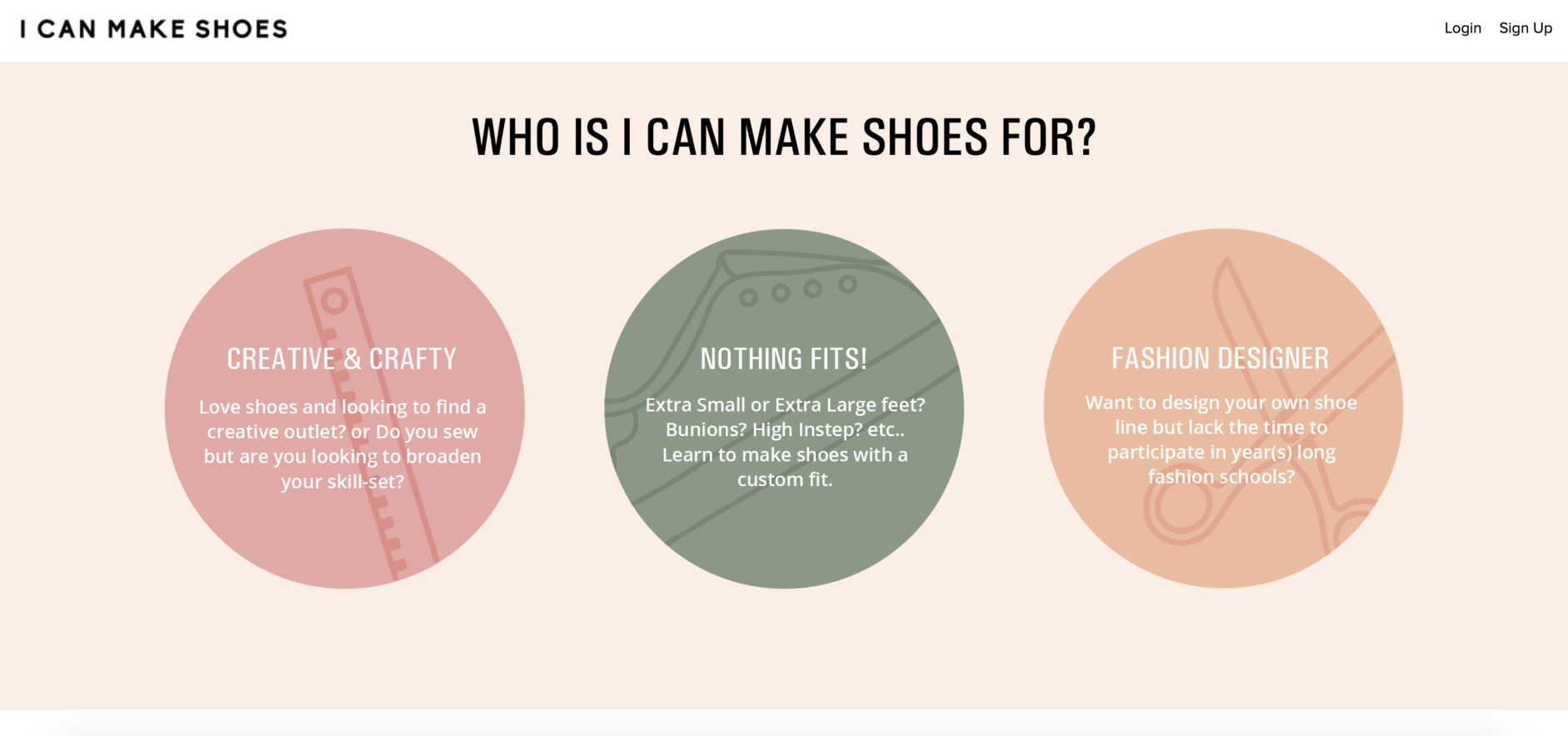
What’s more, it shows the I Can Make Shoes brand identity—minimal, sleek, and modern—clearly and explicitly through videos, visuals, and testimonials.
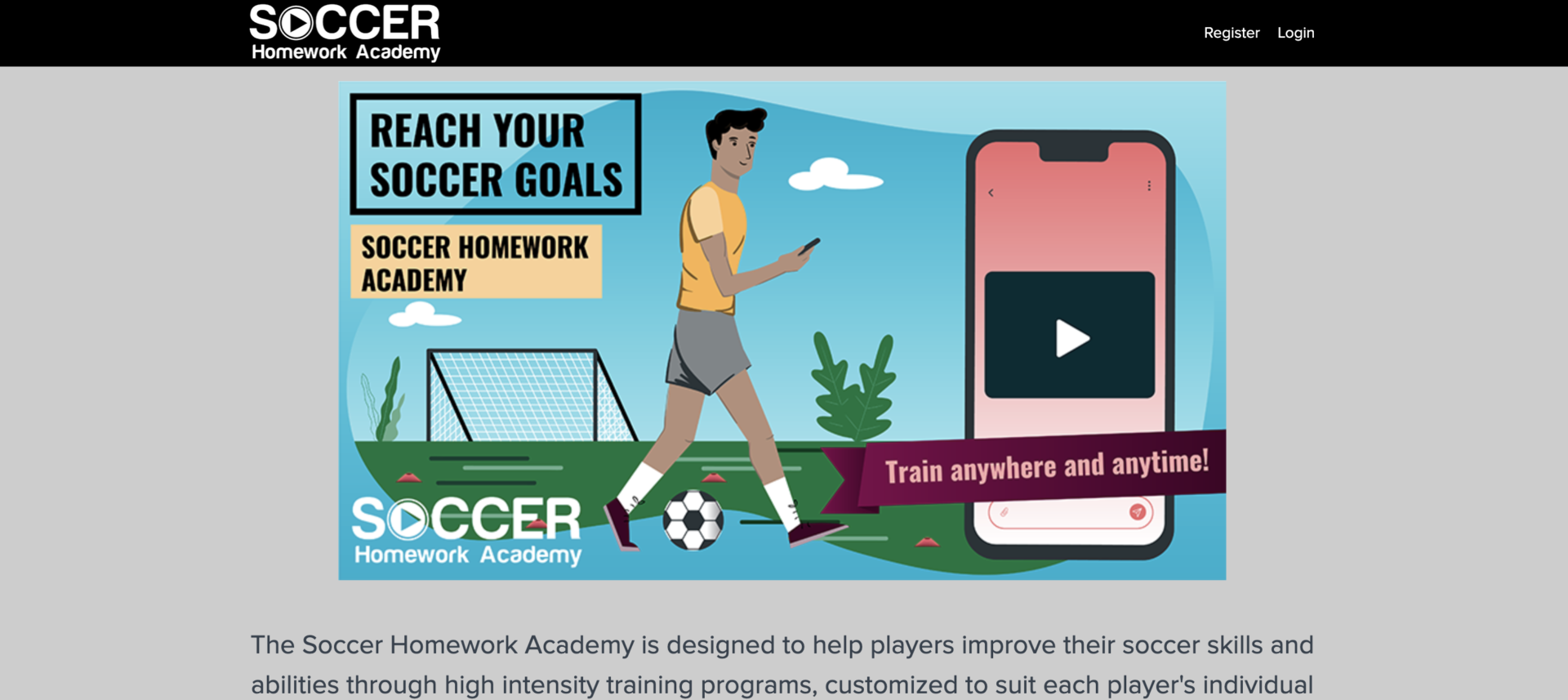
Here, not only do you get a clear visual of representation of what you’ll get with Soccer Homework Academy, but you also see how the creator sets up their homepage to show value in the membership functionality.
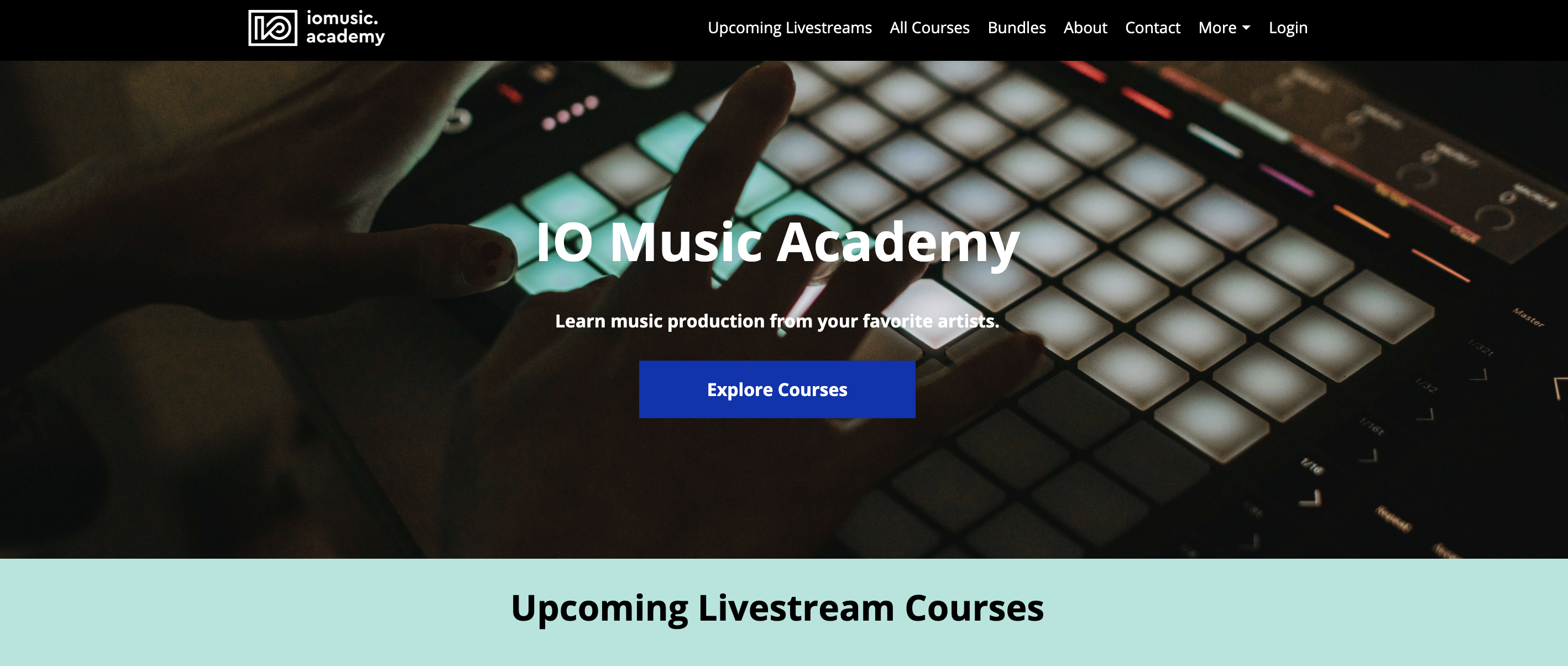
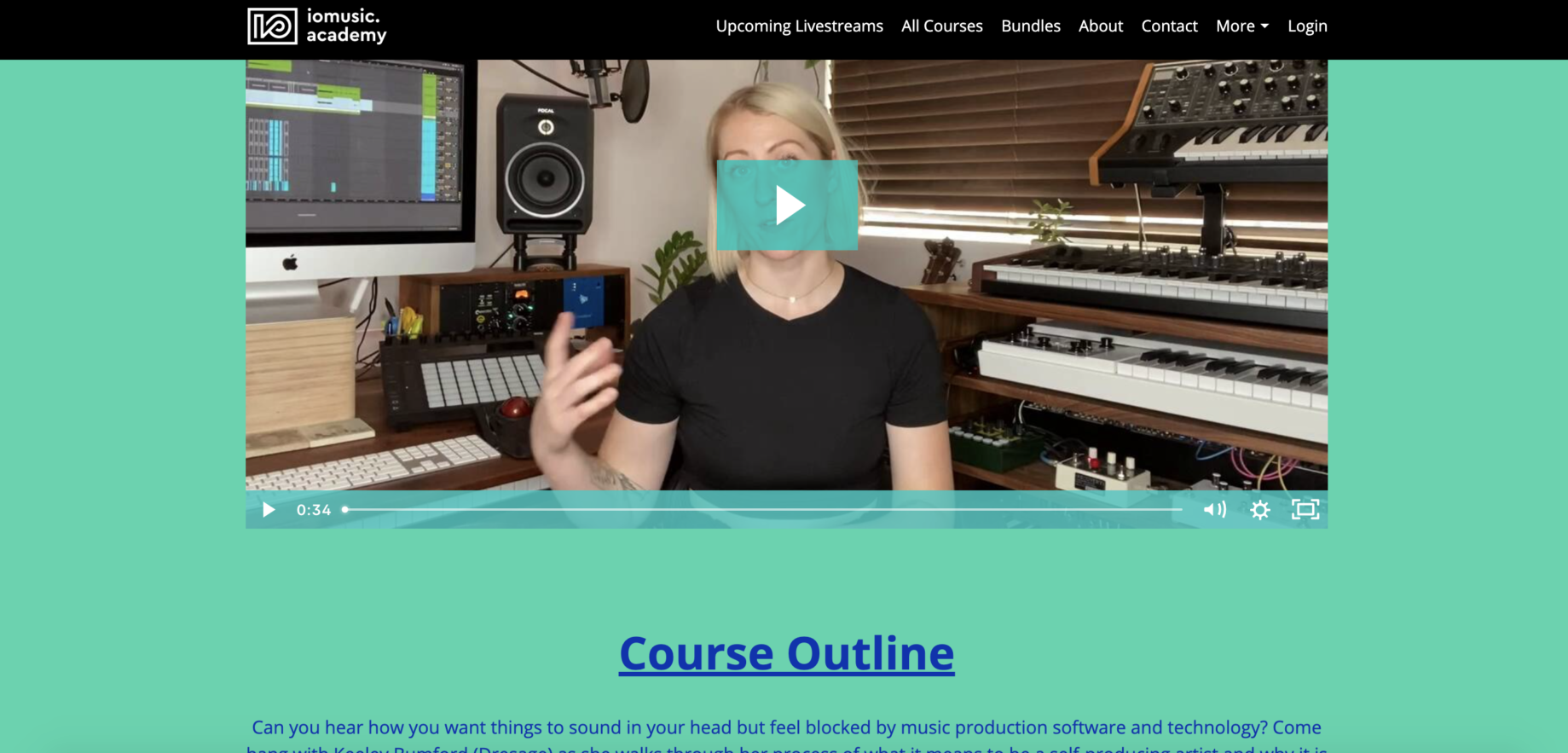
Establishing a visual identity isn’t the only purpose of your homepage on Teachable. It also shares your offerings. The IO Music Academy utilizes their homepage to showcase the various options they have: live courses, recorded courses, and bundles.
Product Marketing Alliance showcases both branding and clean, detailed offerings on their homepage.
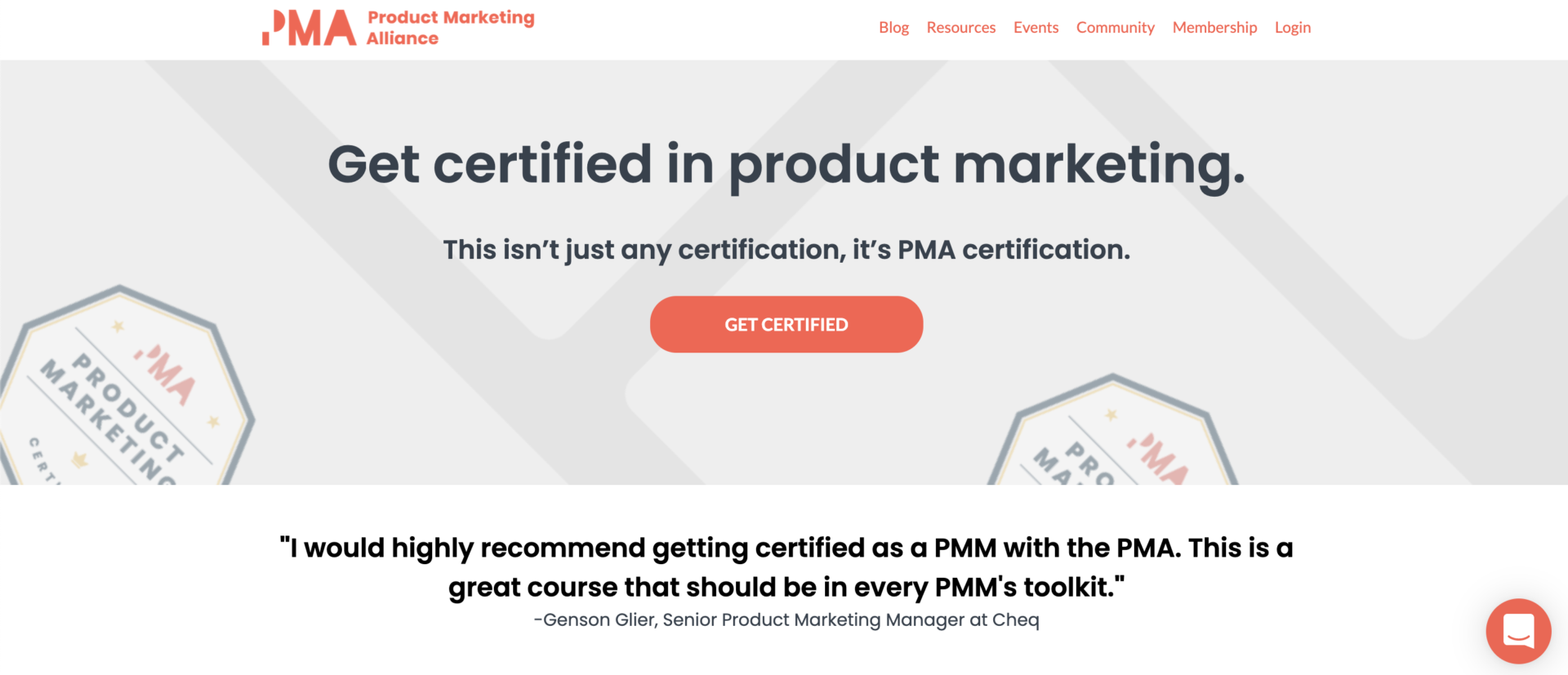

Each of these creator homepages may look entirely different, and that’s kind of the point. At Teachable, we know that each creator has a unique goal with their business. That’s why each course and each school should look different. And for these Teachable course examples, that’s exactly what we want to highlight.
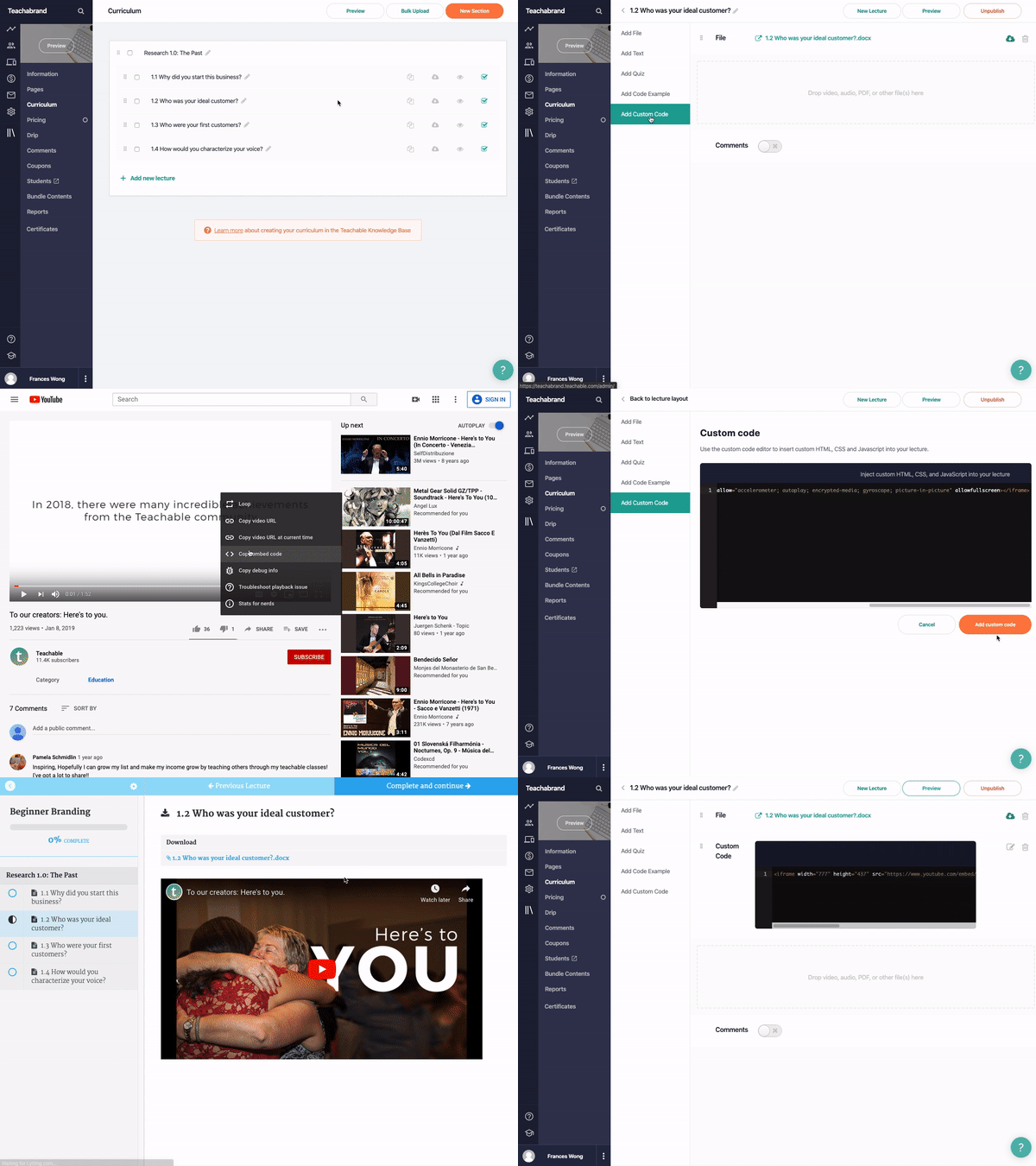
That’s also why we built an online course platform that lets you customize your students’ entire course and coaching journey from homepage to course layout and beyond.
We’ll walk you through how to handle all the logistics when you’re ready.
The two go hand in hand if you ask us. Because you’ve spent so much time honing your skills in your field, you’ve already built up everything you need to launch a course or coaching product on Teachable, whether you realize it or not.
We’ve got everything you need to narrow down your course topic here. We’ll even walk you through the importance of a niche knowledge here. But, it’s important to remember that not every idea has to be fully organized and polished off to a T before starting with Teachable. (You can learn more about the value of a pre-sale for motivating you to create content here if you’re already ready to dive in.)
The way in which you build out your content will be unique to you and what makes sense for your course or school. And you’ll see with these Teachable course examples, every creator and school takes a different approach.
Will you opt for a subscription model and release content weekly? Perhaps, you’re an all-at-once type who wants to put out everything you’ve got for students to tackle at their own pace. Or perhaps you’re a coach who is ready to jump in immediately and start setting up one-on-ones with clients to gain feedback and insight in order to create your flagship course.
There is no perfect formula because every formula you choose gets you to the end.
There may not be one single route to get to a launch. And yet, there is one piece of the puzzle that every creator has to put in place: content.
On Teachable, a course is made of sections and lessons. Sections contain groupings of lessons while lessons are structured, informational units that can feature text, files, video, and images. But how each creator chooses to create, organize, and sell their content is entirely different and unique.
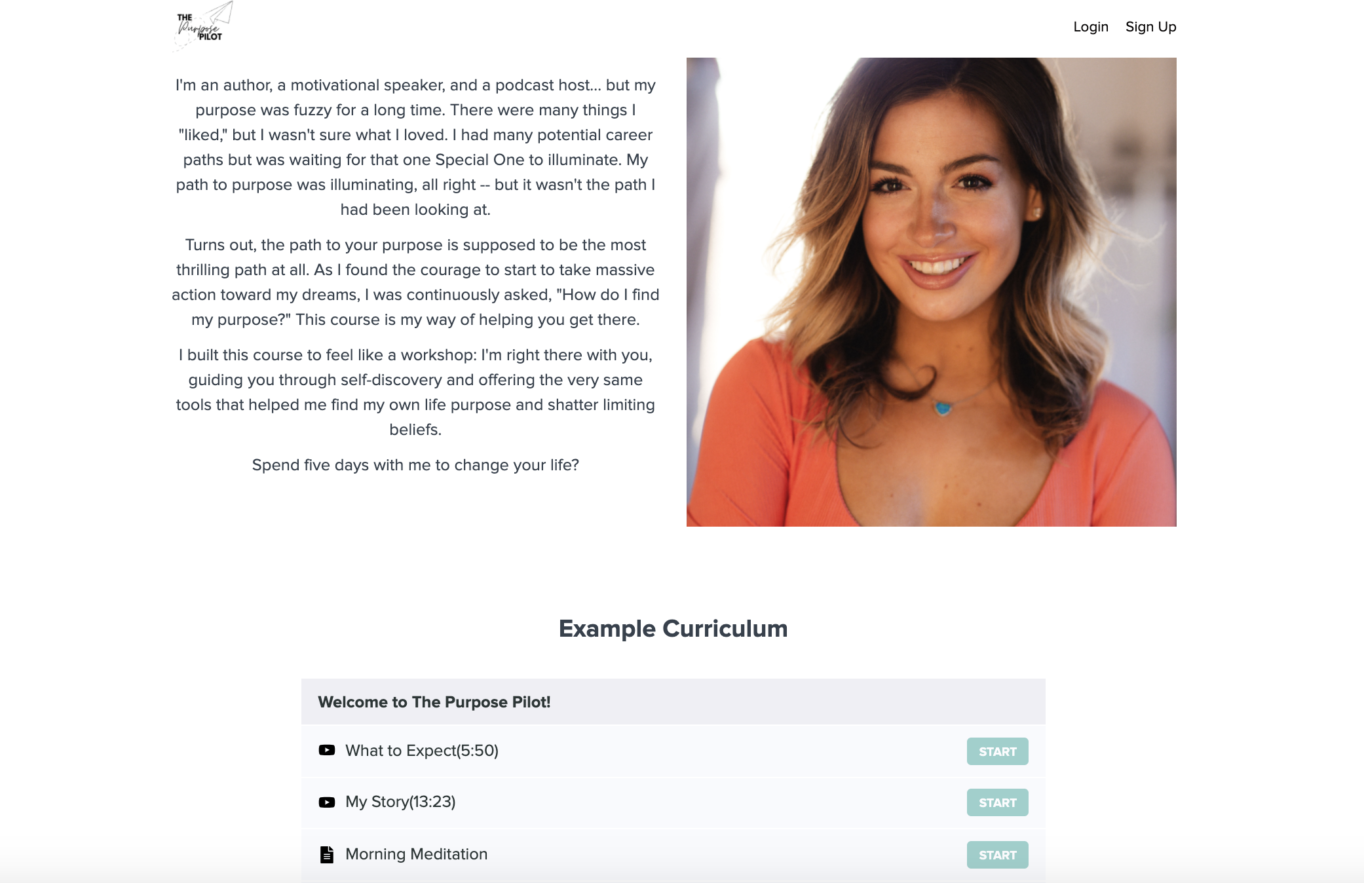
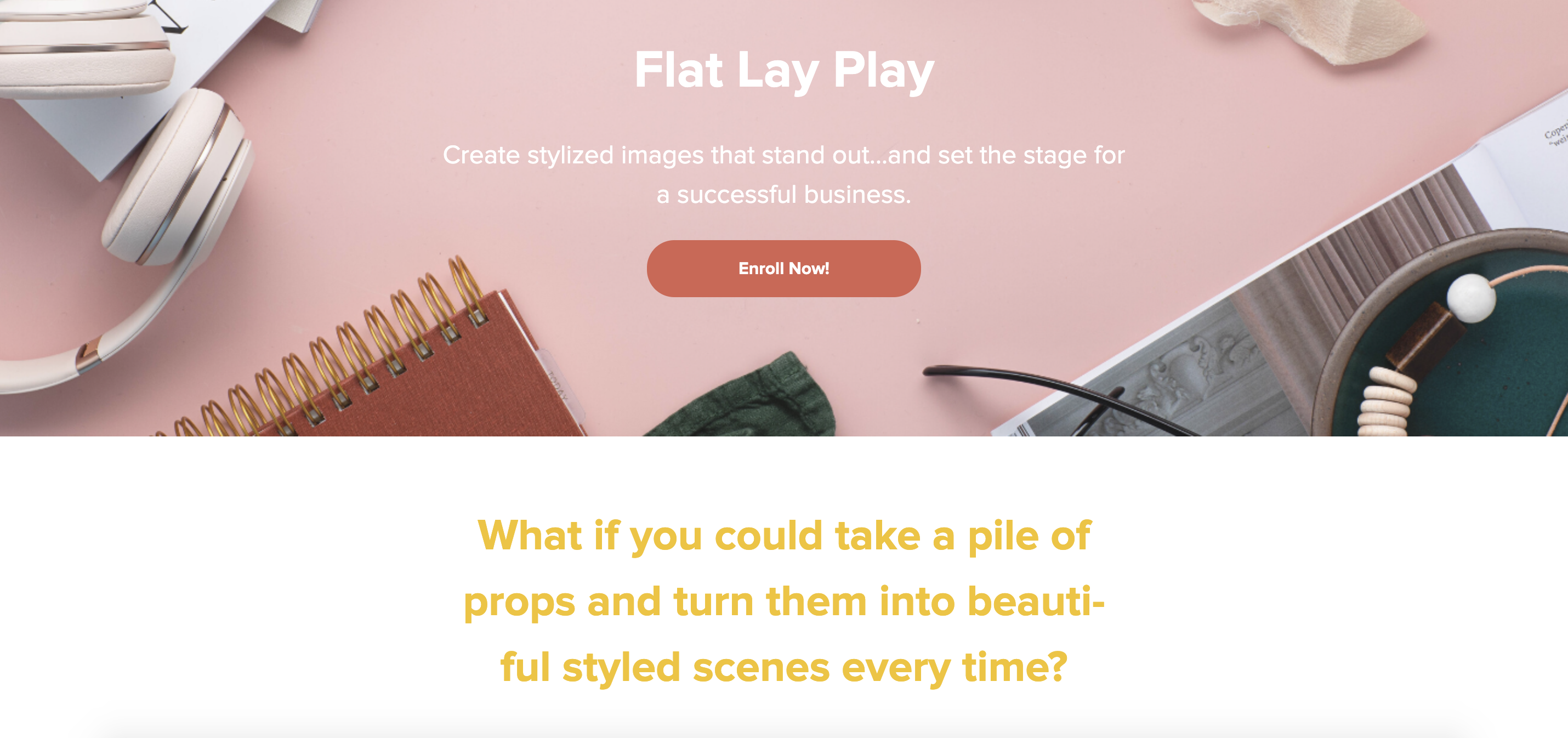
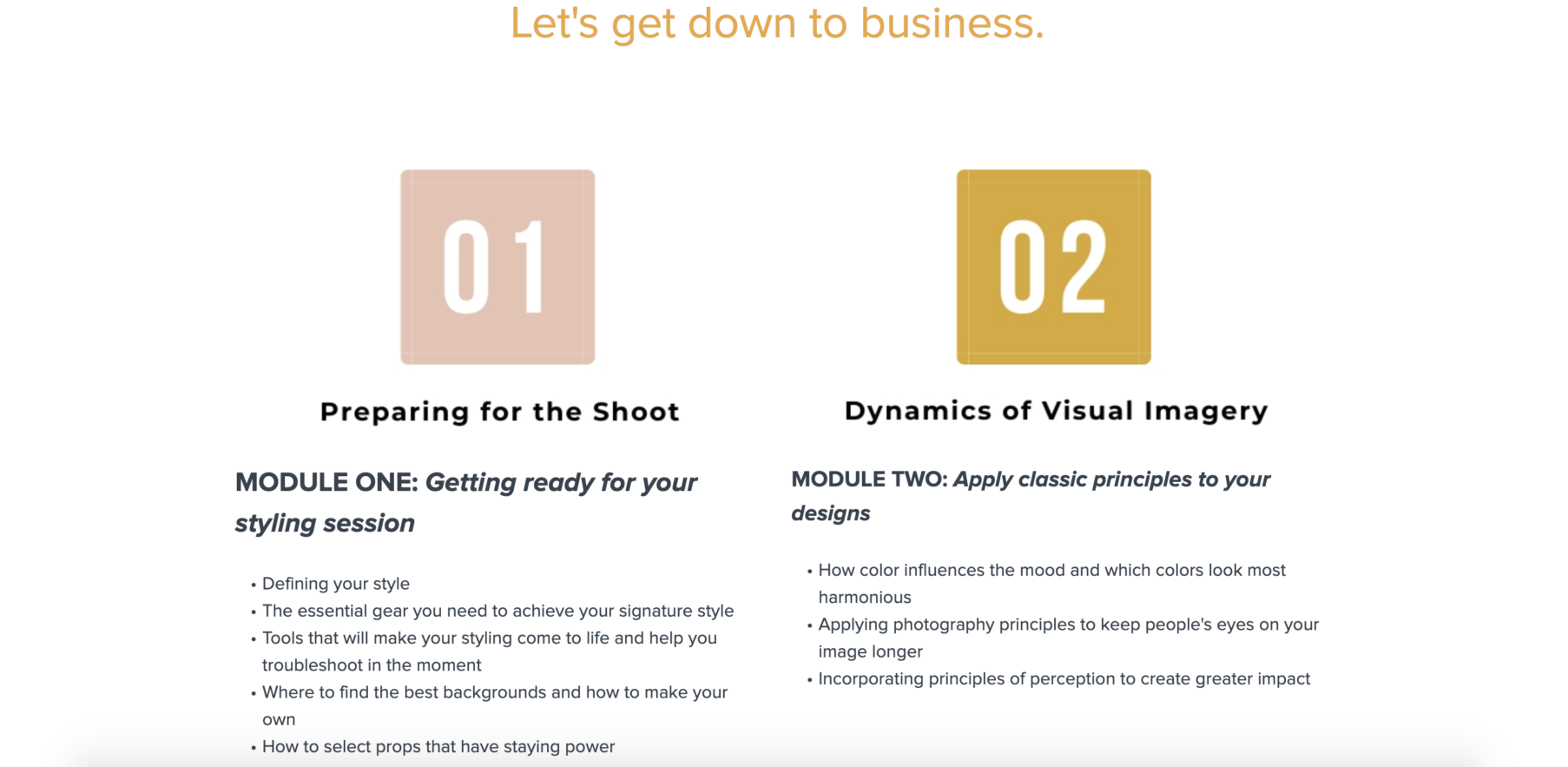
Schools with one main flagship course like these from motivational speaker Haley Hoffman Smith and photographer Kimberly Murray, respectively, break down their offerings and content into videos, workbooks, and visuals.

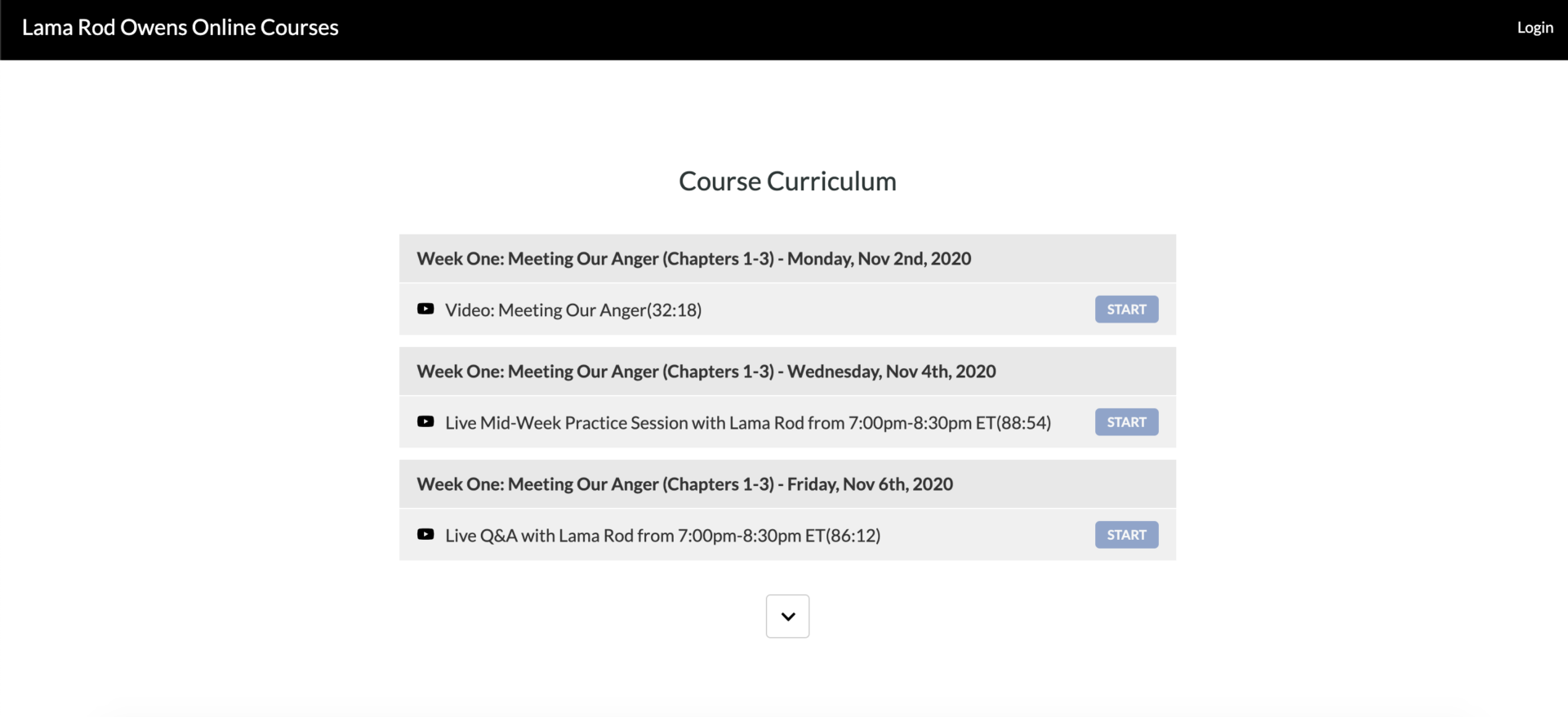
Whereas Lama Rod Owens opted for a combination of live sessions, access to a community, and recorded course videos to deliver his content.

And if coaching is your speed, we have three ways you can take advantage of the coaching product on the Teachable platform:
Coaching on Teachable lets you sync up with clients how you see fit, communicate with them seamlessly, create milestones like tasks, action items, check-in points, or events.
Sure, every creator has to create. But, the method by which you deliver your content is entirely up to you. Videos, images, workbooks, checklists, e-books, emails, weekly, monthly, daily check-ins, or one-on-one coaching. We leave the fun stuff up to you.
No Teachable course example is complete without a sales page that drives it all home. And when it comes to your sales page, our page editor makes it easy for you to drag and drop new content blocks in different formats to highlight the outcome of your course, testimonials, FAQs, and more.
Because knowledge-based businesses are all about the power of transformation, it’s important to take advantage of what that means to you and your business.
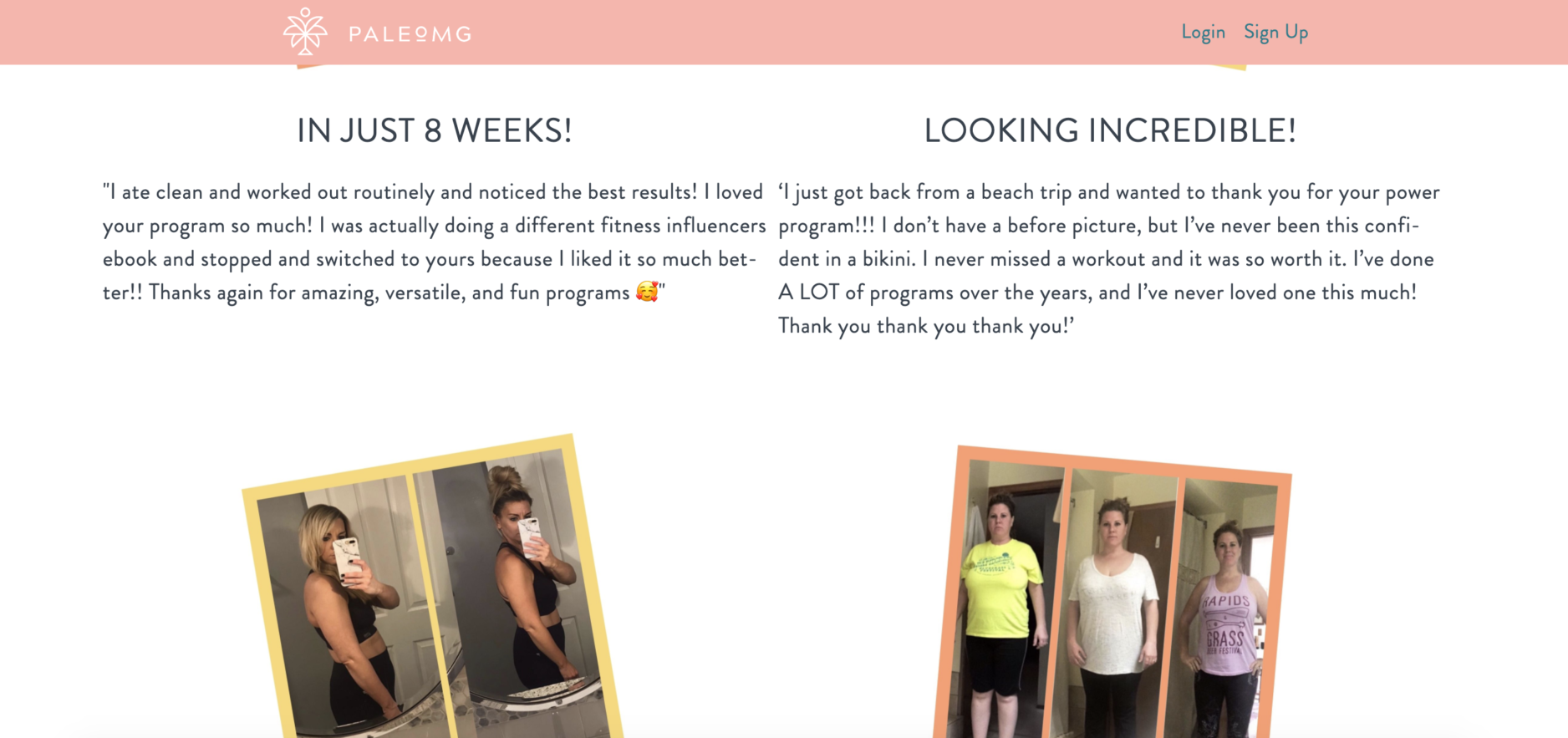
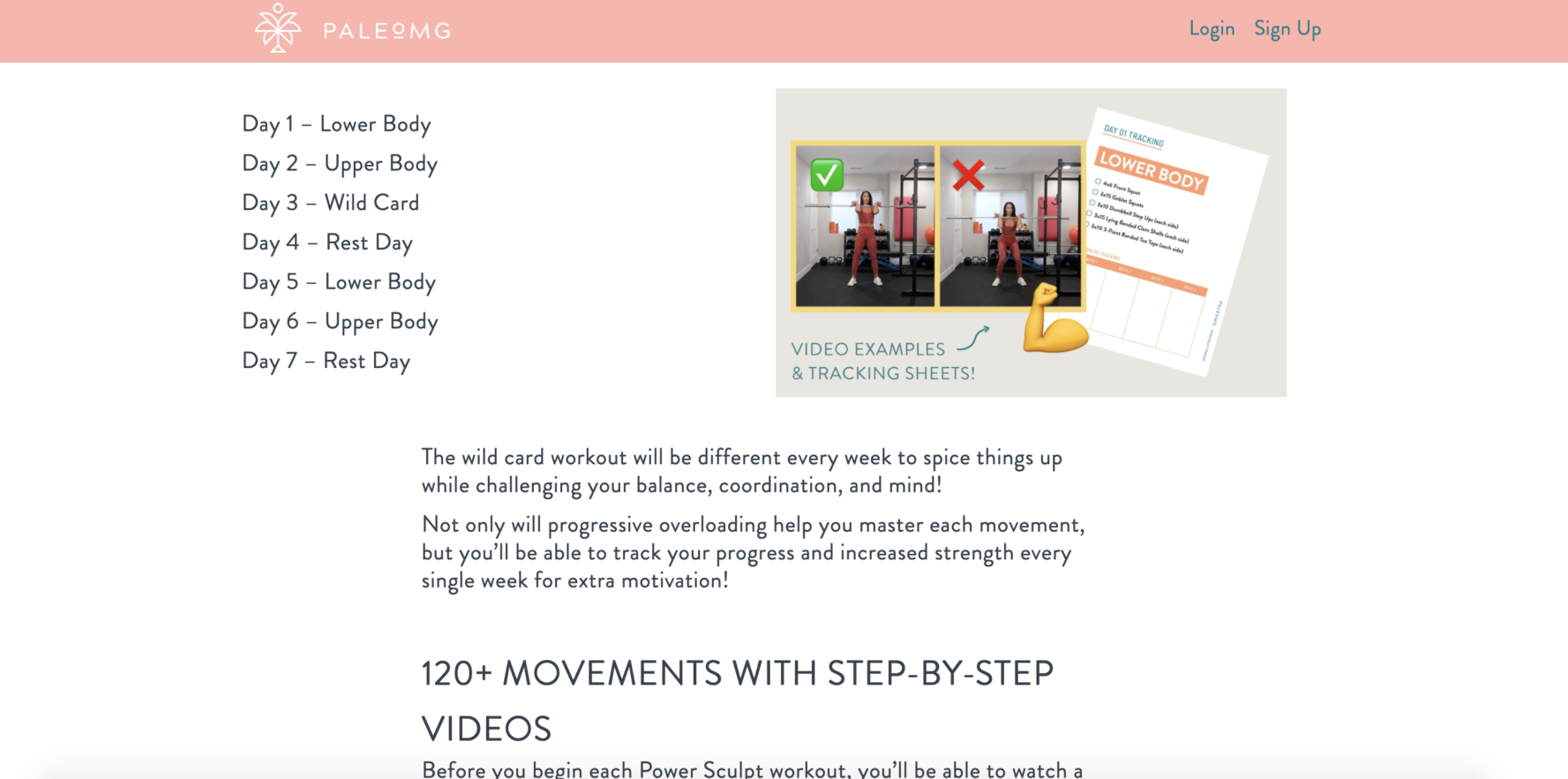
For the PaleOMG Power Sculpt course, this sales page is all about transformation and inspiration. Creator Juli Bauer Roth leans into the power of testimonials, results, and action on her sales page to showcase her program’s content.
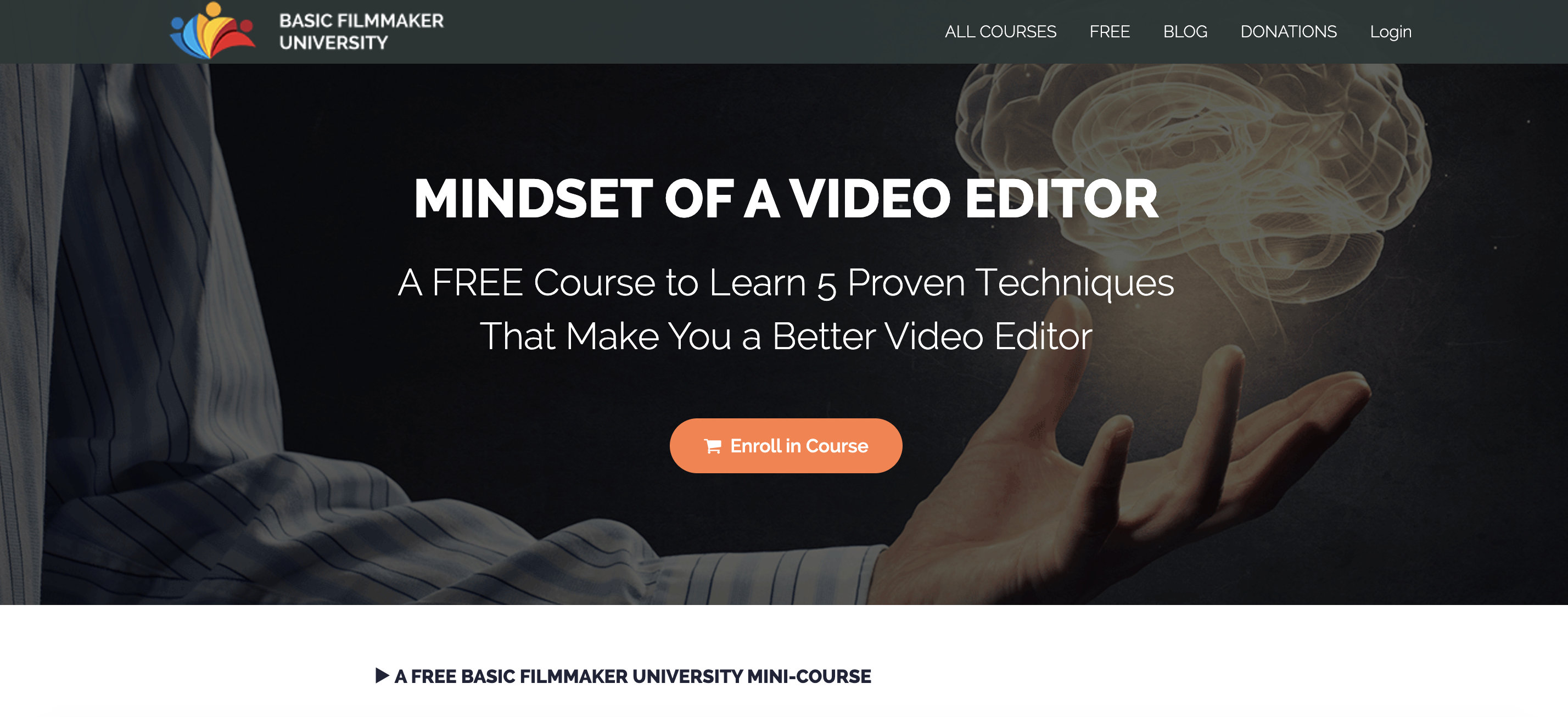
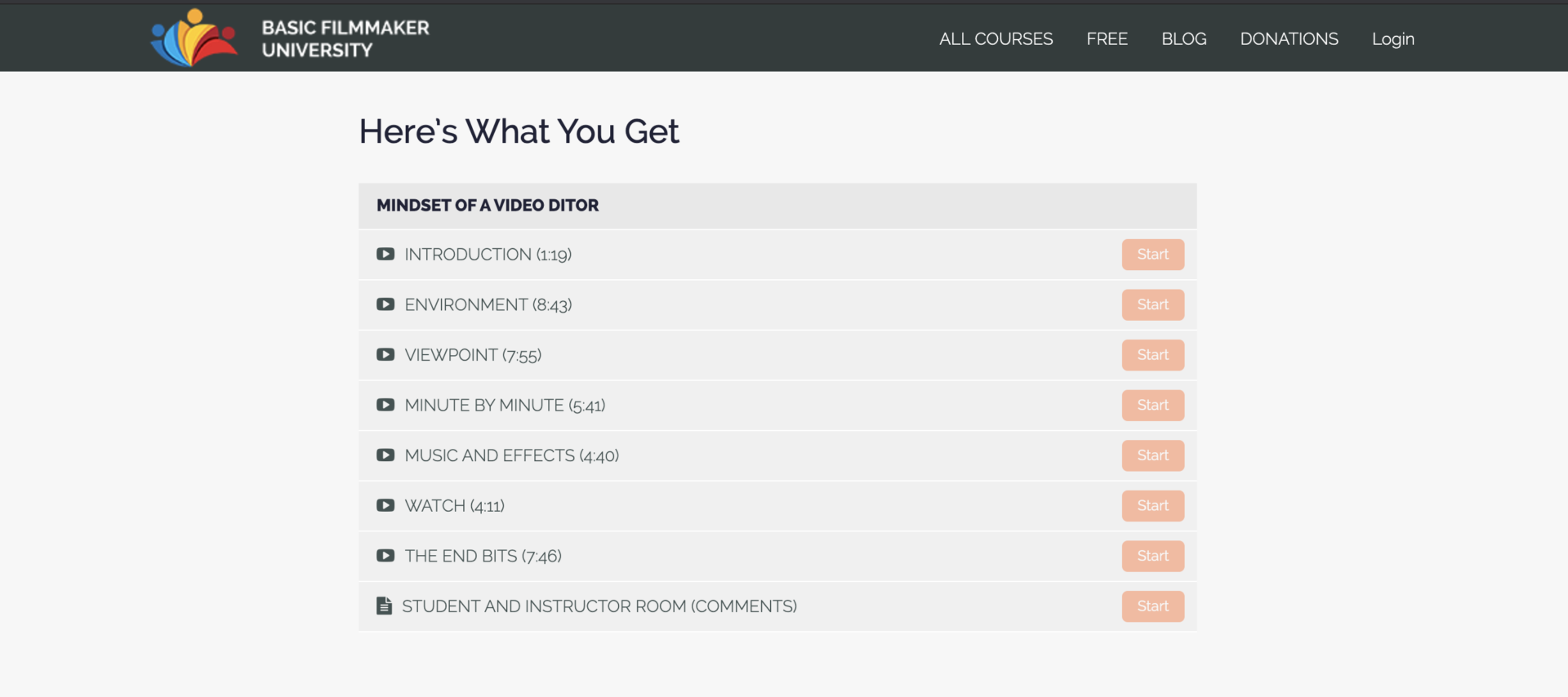
Sometimes a sales page is just the kicking off point for more sales. For the Basic Filmmaker University mini-course on the Mindset of a Video Editor, the goal is to attract the right audience with a simple and sweet intro course that will hopefully lead to an upsell or purchase of more courses.
But it’s not just the look of your course curriculum, homepage, and sales page that you have the ability to make your own, you can control the pricing plans for your courses as well. Teachable offers: free, a one-time purchase, a subscription model, and payment plans. And each one has their own benefits.
{{minicourse-component="/blog-shortcodes/blog-popup"}}
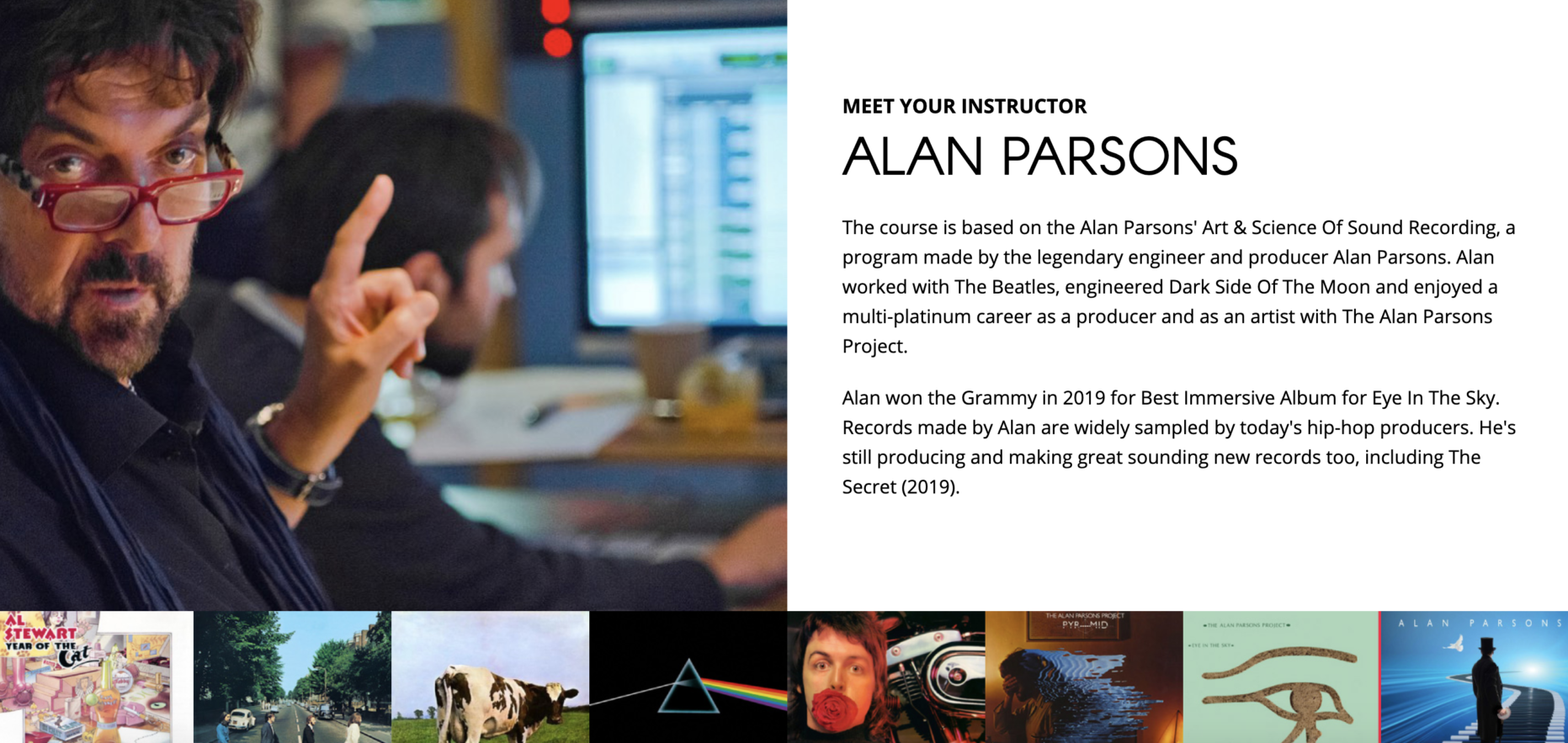

As seen above with Alan Parsons’ courses, the free course option is ideal for presenting your knowledge and teaching style to potential students then utilizing them for possible testimonials or lead nurtures.
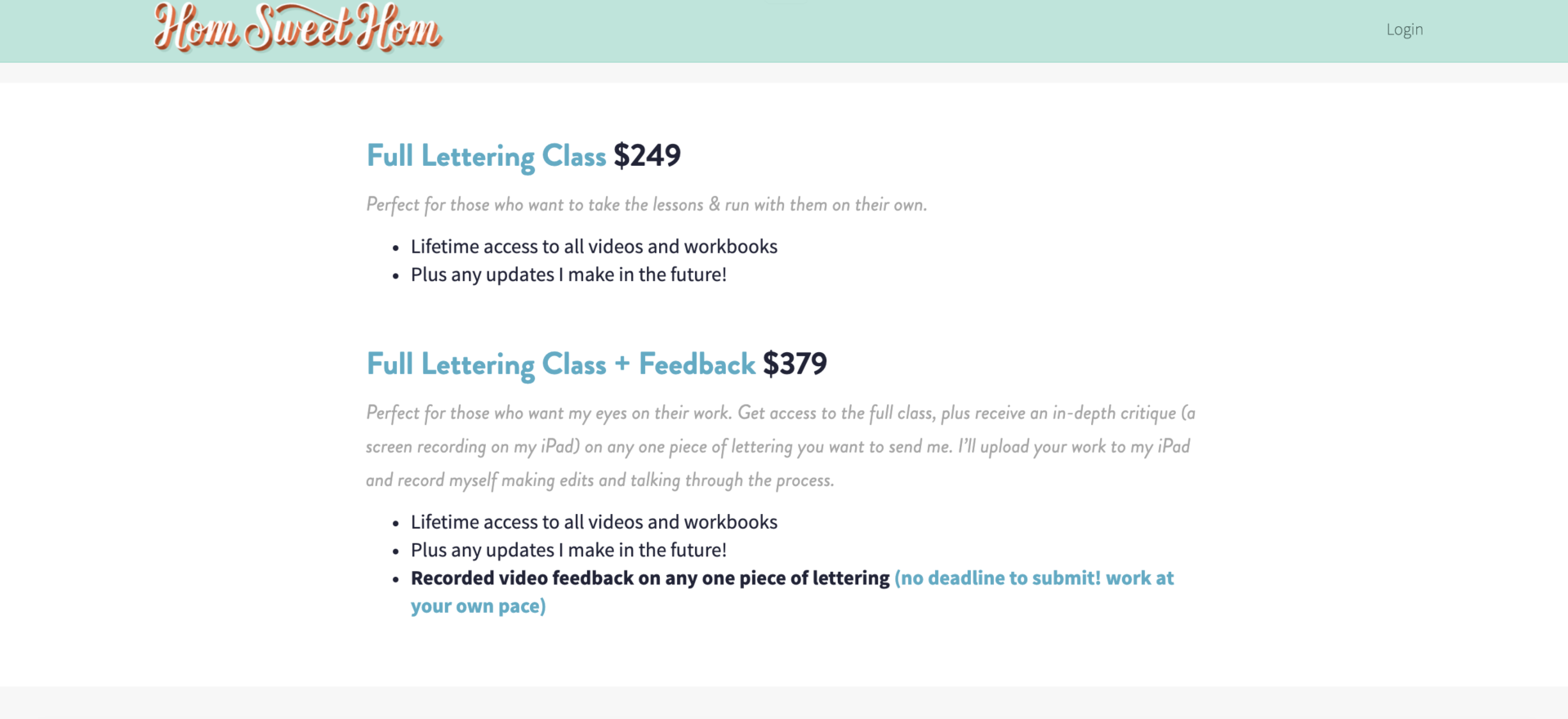
Offering your course at a single price is perhaps the easiest choice. But here you even have the option to customize and test by offering multiple pricing tiers like below on Hom Sweet Hom’s lettering class.

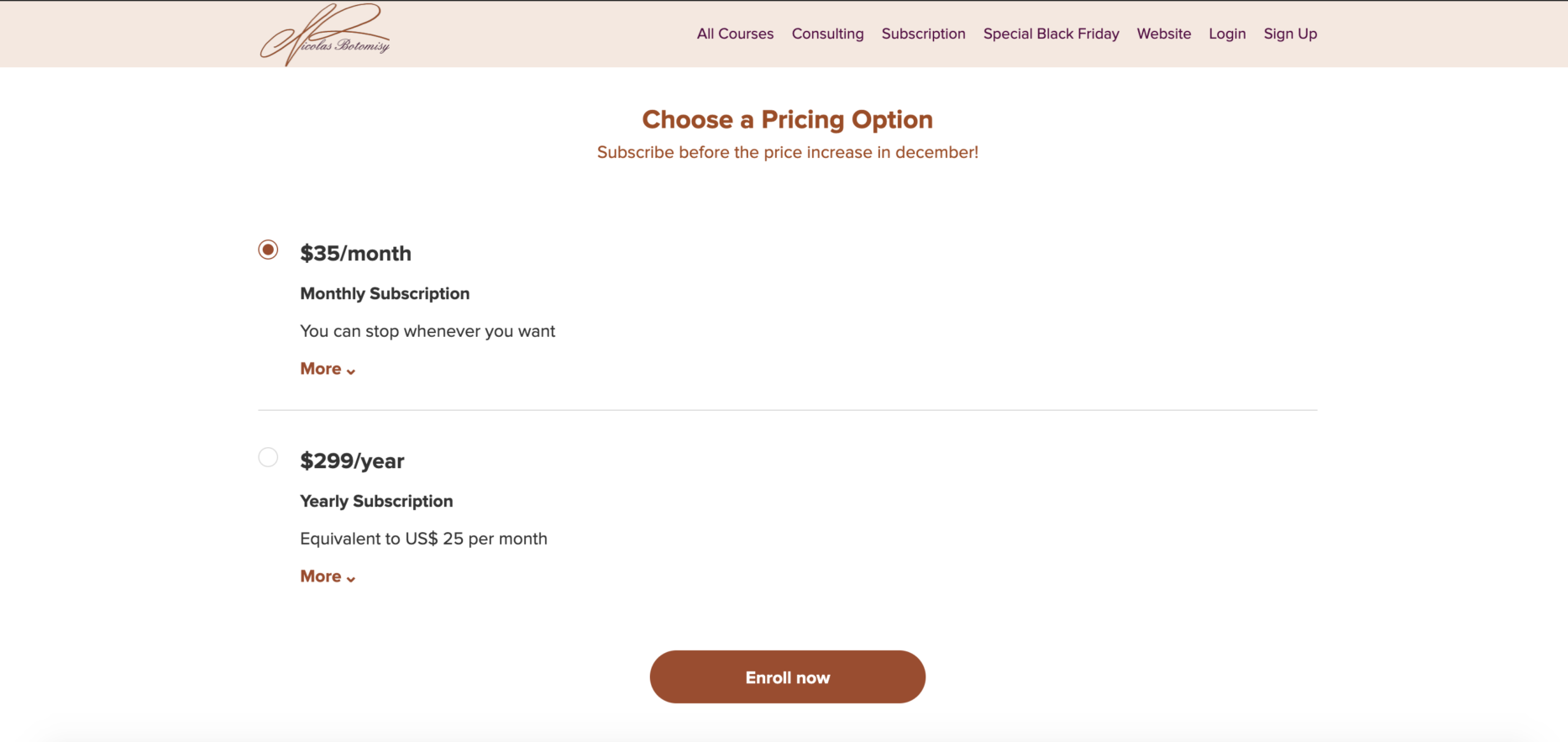
A subscription model like the below option from pastry chef Nicolas Botomisy’s all-access course is ideal if you’re going to be uploading content frequently.

And lastly, a payment plan method allows you to set up a payment plan over a set number of months and establish how much customers need to pay during this period.
{{todolist-component="/blog-shortcodes/blog-popup"}}
There is no perfect mold or single-track path to success on Teachable. Because we believe that each creator’s unique POV and offerings are exactly what will make them successful, we built a platform that allows creators to tap into that individuality and craft a business that works.
We don’t buy into quick schemes. We don’t expect you to be a tech wiz. Teachable is built around selling your know-how easily, uploading your content seamlessly, and launching your knowledge business exactly how you envision it regardless of your business or tech skills. Payouts, taxes, affiliates, authors, we’ve got those handled, too.
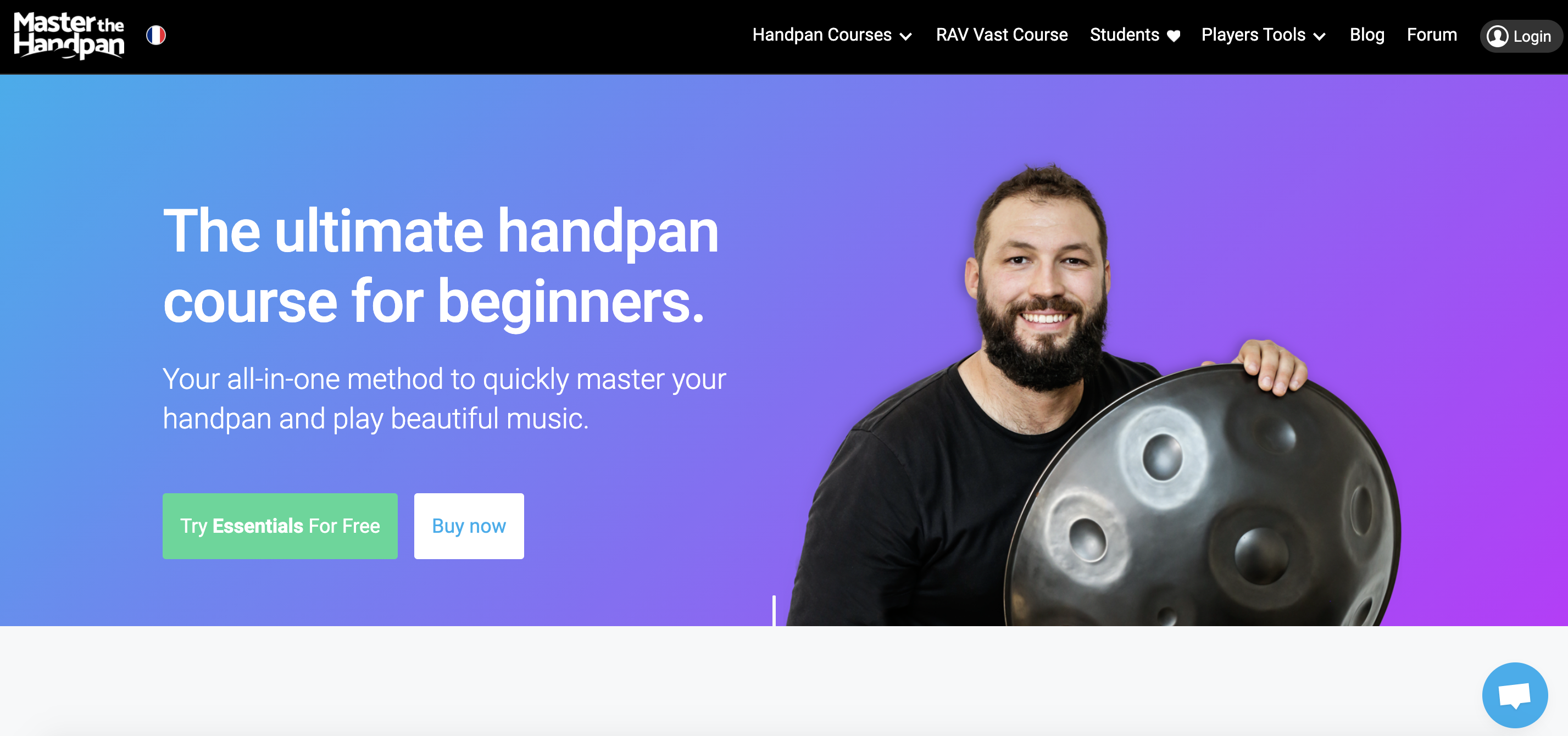
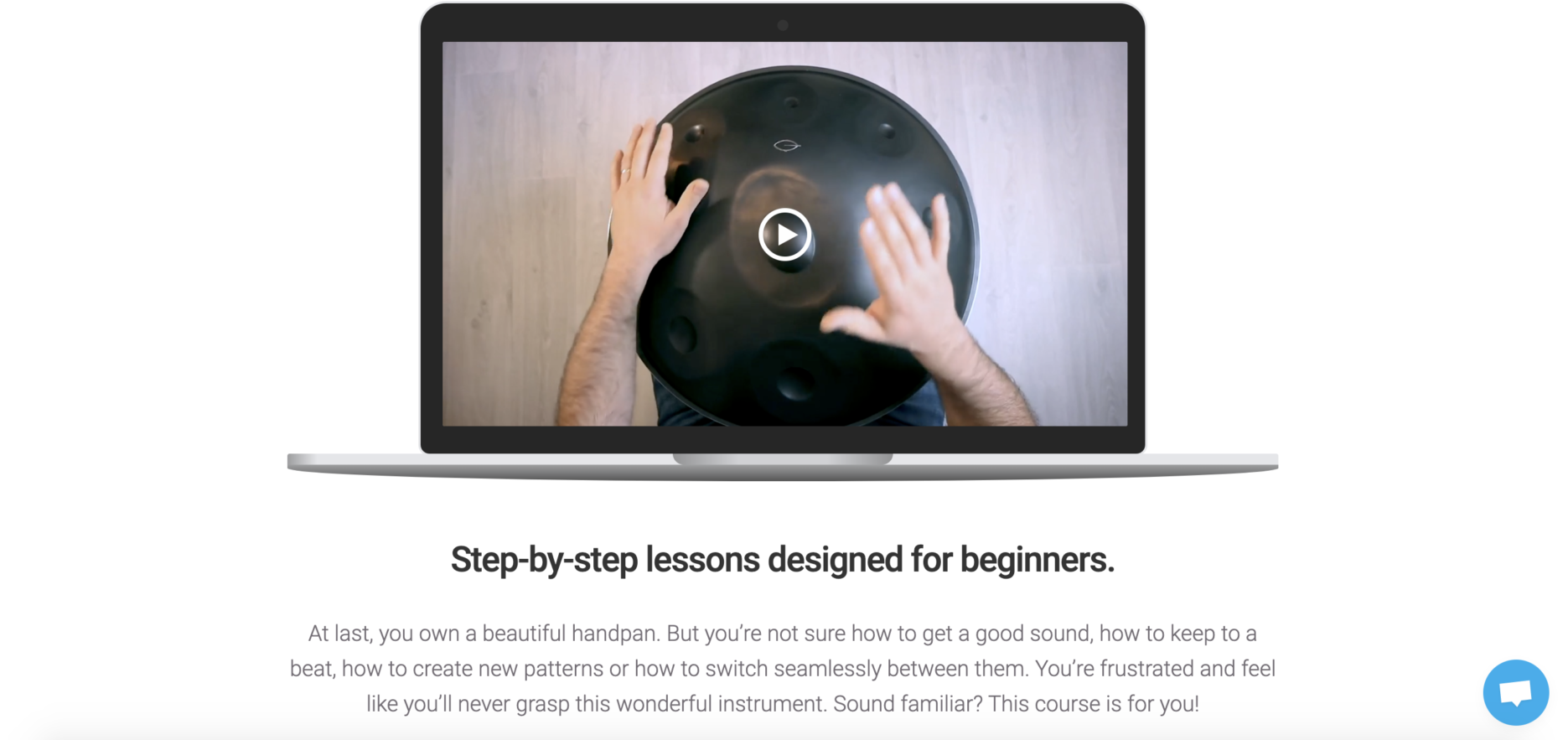
Regardless of if you’re teaching handpan master classes or helping students realize their dream of moving overseas and making money along the way, there’s a way to do it on Teachable. No matter what your calling may be, there’s a way to break free from the traditional business mold, share your knowledge, and get paid along the way.
Every creator topic has found a home on Teachable.

While videos have always been a big part of online learning, there’s a growing interest in audio courses. Think about it: we’ve always loved to listen, from ancient stories told around a fire to today’s popular podcasts.
Many people find audio a welcome change. Audio lets you learn without staring at a screen or a page, and you can listen while doing other things. In fact, data shows that about 74% of people who consume audio content do so during their daily rituals.
In this article, we’ll see why audio courses are catching on and why they might be a great fit for your learners at Teachable.
Ready to listen in?
Our brains are pretty amazing at processing sounds. When we hear something, our brain works to understand it and store it. This is why we can remember songs we like or the voice of a friend.
In a recent study, it’s been proven that spatial audio can have benefits for clinical and medical settings. So for many, hearing information can make learning feel more natural and enjoyable. Here are some reasons why:

Creating a captivating audio-only course is both an art and a science. With the right approach, you can deliver a rich learning experience that resonates with your audience.
At Teachable, we provide you with tools, features, and the best support to help harness audio to create courses that resonate well with your learners. Here’s a guide to crafting compelling audio-driven courses on this platform.
Crafting scripts for audio requires a focus on clarity and engagement. Every word must serve a purpose, avoiding unnecessary jargon and complexity. A friendly, conversational tone can make content more relatable and enjoyable, fostering a connection between you and the learner.
Clear, high-quality audio is non-negotiable. It reduces distractions and ensures that the content is accessible and enjoyable. You can also use background music and sound effects in moderate amounts to enhance the learning experience by creating an immersive atmosphere.
Incorporate quizzes, reflections, and prompts to keep learners active and engaged. This helps reinforce learning outcomes. Providing opportunities for learners to give feedback or ask questions can create a two-way interaction, enhancing the learning experience.
At Teachable, we’ve designed a suite of features to empower course creators like you, especially when crafting audio-only courses. For instance, Teachable seamlessly integrates with various podcast platforms and audio hosting sites. This means you can effortlessly expand your reach and tap into a wider audience without the technical hassle.
Our analytics platform also helps you to understand your learners’ behavior and preferences. With this data, you can refine your courses, ensuring they resonate even more with your audience.
Audio-driven courses are gaining traction in the e-learning world and it’s mainly due to:

Audio courses are known for being more inclusive than other types of learning, and they’re ideal for:
When considering the shift to audio-driven courses, it’s essential to recognize that while many topics can be adapted to an auditory format, some naturally lend themselves to this medium, such as health and wellness.
These subjects often rely on storytelling, narration, or verbal explanation rather than visual aids. Aside from health and general education for young learners, these topics are also tailor-made for audio courses:
Here’s how Teachable is making it easier for creators to offer compelling audio courses:
Teachable allows for straightforward uploading of audio files, making it easy for course creators to add and organize their content. If you have a series of audio lectures, you can effortlessly upload them in sequence, ensuring a smooth learning flow for your students.
Our platform integrates seamlessly with popular podcast and audio-hosting sites. For instance, if you’ve already hosted content on platforms like SoundCloud or Podbean, you can effortlessly link or embed them into your Teachable course. Or if you want to directly target your listeners, you can integrate your course with ConvertKit and streamline the process.
Teachable offers insights into how students are engaging with your audio content. You can gauge which parts of your course are most popular, helping you tailor your content to what truly resonates with your audience.
Likewise, Teachable provides tools that encourage interaction among your students. You can establish forums or Q&A sections, allowing your students to discuss content, exchange insights, or pose questions.

Despite Teachable’s array of features for audio course creators, you must still come with the fact that such a learning experience isn’t for everyone. It’s mainly due to the following reasons:
Some topics are best understood with visuals. Without charts or diagrams, certain concepts can be hard to grasp. This is especially true for younger learners, who need engagement in order to understand that it’s time to learn.
A good way to offset this would be to allow kids to consume educational content while enjoying outdoor activities, just like how we listen to podcasts while jogging.
This has an effect similar to microlearning—the lessons can be bite-sized, the learner will associate the activity with something positive, and the whole experience will be healthy, both mentally and physically.
Not all learners are auditory. Some people retain information better with visuals or hands-on experiences. To cater to diverse learners, offering a blended learning approach with both audio and visual materials can be beneficial.
Explaining intricate concepts or processes can be challenging without visual aids. A solution is to break down complex topics into smaller, digestible segments and use descriptive language to paint a vivid mental picture for the listener.
Audio courses, with their unique blend of convenience and intimacy, offer a fresh avenue for learning.
At Teachable, we’ve always been at the forefront of e-learning, keenly observing and adapting to the ever-evolving needs of educators and learners alike. We understand the growing need for learning experiences that align with the fast-paced lives of our users.
Recognizing the shift towards more flexible and accessible learning mediums, we’ve adapted our platform. You should do so too, if you want to present your content in an engaging and easily digestible manner.

If you’re a content creator who’s killing it on social media already, you may not have realized this… but the content you’ve already spent hours perfecting can do more than just rack up likes. It can actually become the basis of your next revenue stream.
We’re talking about repurposing content, which isn’t just about recycling material; it’s about strategically using what’s already working to create something bigger, better, and (most importantly) sellable.
Your Instagram post that sparked a 100-comment discussion? That’s a course module waiting to happen! Your thread on X (formerly Twitter) that went viral? It’s halfway to becoming an in-depth masterclass. The knowledge is already there; you just need to package it into a structured, valuable learning experience.
And we can help. 😉
In this guide, we’ll walk you through the process of repurposing your best-performing social media content into a sellable course. Whether you’re a YouTuber, Instagram educator, TikTok strategist, or LinkedIn thought-leader, let’s break down how to identify the right material and compile it into a high-quality course that generates revenue.
{{coursepricing-component="/blog-shortcodes/blog-popup"}}
The beauty of repurposing is that you don’t have to start from scratch! If you’ve already built a social media following, you’ve likely tested different content formats, figured out what connects with your audience, and established a niche. So instead of reinventing the wheel, you can take what’s already working and turn it into a structured learning experience.
Some of the biggest benefits include:
Now, many creators hesitate to launch a course because they assume it requires months of scripting, filming, and editing. While that assumption is valid, you can definitely cut that time in half by making the most of what you’ve already created.
Because when you’re working with content that’s already been tested, refined, and validated, you cut down on production time significantly… which also means you can go from concept to launch in weeks instead of months. So while other creators are still wrestling with their first module, you’ll be making sales.
Related: How to create a course outline with real examples
To be clear, not all content is worth repurposing; some posts perform better than others, and you want to focus on what’s already resonating with your audience. The trick is to identify your most valuable, evergreen content: the posts and videos that continue to drive engagement, spark discussions, and solve real problems for your ideal customer.
So to identify your strongest content:
Trendy content might give you short-term engagement, but evergreen content builds long-term revenue. If your content is tied to a fleeting trend (hello, Instagram algorithm updates), it’s probably not the best fit for a course.
Instead, look for content that covers timeless skills, strategies, and knowledge. A post explaining how to optimize YouTube titles for clicks is solid. A TikTok breaking down last month’s social media trends is… not quite as solid.
Examples of evergreen content:
If a piece of content continues to bring in new audience members long after it was posted, it’s probably a great candidate for repurposing.
Related: How to launch your first course in three days using the Teachable AI curriculum generator
Even though you'll be using content you already created, you still might feel a little intimidated about how to put together your course. After all, a successful course isn’t just a collection of posts; it needs a logical flow that guides students through a transformation. Let’s take a look at how you might approach this.
The goal here is to take your best content and organize it into a clear, step-by-step learning experience that leads your students from the basics to advanced concepts.
Begin by grouping similar content together into modules or sections that follow a clear learning path. For example, if you have multiple Instagram posts about personal branding, these can be combined into an introductory module on brand identity. From there, you can expand into more detailed lessons on audience engagement, content strategy, and monetization techniques.
So you can see how you can begin structuring your content in a way that gives students a well-rounded and organized learning experience.
Consider putting your content together like this:
Now keep in mind that while social media is concise in nature due to platform limitations, a course gives you more room to deliver an in-depth experience.
So to increase the value of your course, supplement your repurposed content with additional learning materials like:
These additions help differentiate a paid course from free content, while ensuring that students receive a comprehensive learning experience.
Related: How to come up with your profitable course idea
If you’re serious about turning content into a reliable income stream, you need the right tools. Teachable makes it easy to upload, organize, and sell your courses, all in one place.
Some key features include:
Teachable has everything you need to turn your best ideas into a high-converting course.
And beyond a course platform, there are several tools that can assist with repurposing content efficiently; here are a few faves:
These tools reduce manual work and help creators optimize their workflow when developing a course.
{{trial-component="/blog-shortcodes/blog-cta"}}
One of the biggest mistakes creators make is packing too much content into their courses. More isn’t always better, and if students feel overwhelmed, they’re less likely to complete (or recommend) your course.
So the fix is to keep lessons focused and actionable, and break down complex topics into bite-sized lessons that are easy to follow. Give students just enough to learn, apply, and see results.
Also remember that repurposed content must be tailored for educational use. Simply uploading social media posts without context can leave learners feeling lost. To create a great learning experience, make sure that your content is structured, well-explained, and supported with helpful exercises.
So by now, I hope you can see that you don’t need to start from scratch to create a sellable online course! By repurposing your best social media content, structuring it into a learning experience, and making the most of tools like Teachable, you can launch your course quicker and easier than you probably thought.
Because you’ve already invested time and energy into producing high-quality content for social media… don’t let it get buried by new posts and changing algorithms. Instead, start reviewing your analytics, identify your top-performing content, map out a simple course structure… and take the leap!
Your audience (and your bank account) will thank you.

Here at Teachable, we strongly believe in the benefits of online learning. Education is arguably one of the most important facets of society and for that reason people are willing to spend their life savings, or even go into debt to further their education.
In fact, “The in-state public college budget for the 2023-2024 academic year averaged $28,840. A moderate budget at a private college averaged $46,730.” Pair that with the fact that an estimated 19 million students attended a US college in the fall of 2021 and you can see just how serious people are about getting an education.
But in recent years, there has been a shift in how people are viewing education. In the past, it was cut and dry; you either had a nifty diploma hanging in the wall of your office, or you didn’t. Now, though, people are acquiring their education in a multitude of ways, taking the traditional route and attending a 4-year university, forgoing college and getting on the job training, or, more recently, pursuing an online education.
The EdTech industry has been booming. And it makes sense: a lot of people don’t have the time (or money) to spend at a four year university where they’ll be forced to take classes that aren’t relevant to them and still have to job hunt after graduation (with a new sense of urgency coming from the debt they likely incurred in school.)
With online courses and EdTech, people are able to really take control of their education. They can take classes between working at their day job and get trained in the exact skills they need to succeed without having to invest time into anything else.
In that realm, online education is clearly superior to traditional teaching, but a lot of people worry whether or not it’s as effective. It’s a legitimate concern given how new the online education industry is, especially compared to the American Higher Education System, where the first college was established in 1636.
From our research, online education is just as effective as in-person classrooms, and depending on the goals of the students can be the best option.
Online courses contain all of the same information that an in-person class would; the only difference is that all instruction takes place via the internet. The instructors have a lot of control over the online course experience, but a sample scenario would look like this:
An instructor would open their online course for enrollment and students would sign up. This instructor has opted to “drip” their content, meaning that each week their students would get a set amount of lesson material for the duration of the course. There are interactive comment pages, quizzes, and even a Facebook group where the students can go to connect and find support. Every Tuesday the instructor goes live for an hour hosting a Q&A so students can get their most pressing questions answered.
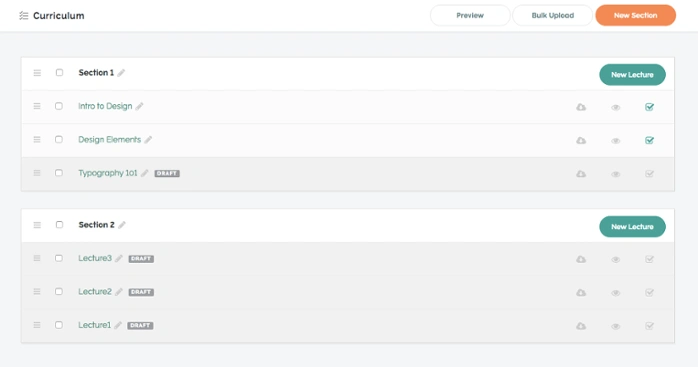
The online structure parallels that of a classroom, but takes the physical requirement out of education making the class more accessible for everyone. When teaching a physical class you may be able to reach a handful of people – in some cases a few hundred, in rarer cases a few thousands. When you’re teaching an online class, though, your lessons can reach anyone anywhere in the world.
People are always going to be skeptical of change. Looking toward the future of online education might make people feel apprehensive. Switching things up from the tried and true method of physical classrooms and courses means we need to readjust and redefine what exactly education is.
And most importantly? We need to make sure that we aren’t losing out on the quality of the course. Many people argue that EdTech champions the educator, but really it champions the education. Chalk it up to bias, but after taking a look at both in person education and online education, online education comes up the clear winner.
Yet, it isn’t all about the academics’ perception. How do the outcomes of digital learning compare to traditional face-to-face education?
According to a report by the United States Department of Education, “learning outcomes for students who engaged in online learning exceeded those of students receiving face-to-face instruction.” Look around any college lecture hall and you’re going to see a third of students on Facebook, the other third texting, and a fraction of the final third actually paying attention.
It’s a sad reality, but when you put someone in a classroom at a designated time every week they are going to have 100 other places they’d rather be and a dozen people they’d rather see and those “better options” are where their minds are going to be wandering to.
In online education, the students largely have control over when they’re going to listen to their lesson material. Instead of taking them out of the action midday, they have the option to listen to the material before bed when all other distractions have been eliminated. When online students are engaging with your content it’s because they want to be there and they are actively learning as opposed to traditional classrooms where they are there because they have to be every week at the same time.
So what it comes down to is the fact that the quality of the material remains the same, but with students who are more focused and engaged the education they are actually getting is superior. When they are able to attend class and learn the materials on their own terms students can center their entire focus on the course.
Another common worry is that students aren’t going to get the same attention that they would in a physical classroom. Especially when you consider that online courses can accommodate significantly more students, which in theory might spread the instructor fairly thin.
According to research, though, the exact opposite is true. The National Survey of Student Engagement found, “Course management and interactive technologies were positively related to student engagement, self-reported learning outcomes, and deep approaches to learning. Course management technology was most strongly related to student-faculty interaction and self-reported gains in personal and social development.”
Online classes give instructors more time to truly interact and engage with their students. In a classroom setting they are put on the spot when a student has a question, in EdTech they are able to take their time in their interactions ensuring that each exchange is a positive one.
Furthermore, in an online setting, if a student asks a question on a public forum and the instructor answers, everyone in the course can see the exchange and refer back to the Q&A eliminating the threat of a dozen students asking the same question giving the instructor more time to focus on more pressing questions.
One of the fatal flaws of traditional classrooms is that professors will oftentimes hold questions for the end of the period, and if you’ve missed a critical piece of information or got lost midway through, the professor will be unlikely to accommodate you as going back and reviewing what was just said would negatively impact the rest of the class.
In college, a professor of mine tried to sue a well-intentioned (but ill-informed) student for recording her lectures. The student wasn’t redistributing or publishing the lectures for others to see, she was simply watching them after class to catch up on anything she missed as the lecture was too large for her to raise her hand and be helped every time something wasn’t clicking for her.
In some cases, the professor will notice when the class isn’t following along or is confused and they can regroup and adjust their lecture, but that’s only effective when everyone in the class is confused; if only a handful is lost, they are often out of luck in a traditional classroom.
Online, though?
You can pause, rewind, and rewatch. An online learning environment can support various media formats that support different learning styles, which can get overlooked in traditional, in-person lectures.
When you are able to watch the lecture over and over again, you can really take control of your education. Confused about something? You can pause and rewind in real time and get caught up before moving forward.
This is another worry that people have. As inconvenient as traditional classes can be, the set schedule can help keep students accountable. When you sign up to be somewhere twice a week, you show up.
But in online education, it’s often up to you to complete the learning materials you signed up for. While that presents an opportunity for strengthening time management skills, it can be intimidating for a lot of people. So long as you treat this material the same way you would a physical class, you should be set.
Commit to sitting down twice a week, the way you would in a traditional classroom, and completing the material. The only difference is that now you can sit down at whichever time is the most convenient for you. During your lunch break? Fabulous. At two in the morning when everyone else is finally asleep? Perfect.
In the end, you have control of managing your time and can consume the class at your convenience. Meanwhile, pursuing an online degree typically means you don’t have to be a full time student.
Money is another issue that people worry about. When you’re paying your college tuition, you’re going through the same (expensive) rite of passage that millions of other people have validated for you. It’s what’s normal and what’s expected therefore it feels a lot less risky than investing in an online course where you’ll be the only person you know taking it.
With that said, when you’re looking at education as the end goal, 99 times out of 100 the online route is going to be the more cost efficient route to take.
Most online courses are only a few hundred dollars—a fraction of the cost you’d take to take the equivalent course at a university, and you’re getting the same information. If you’re in it for the education rather than degree, online courses will come out on top every time. In addition to being able to save money on tuition, course materials are oftentimes provided in online courses via worksheets, presentations, videos, etc.
In college, you more or less have to take the classes that are offered to you; there might be independent learning programs or partnerships with junior colleges with extra classes, but oftentimes you are limited. While this might not be a problem at a huge state university, it’s something that can be limiting at a smaller school.
In EdTech, though, there is no limit to what type of course you can take. Here at Teachable, we have successful instructors teaching everything from dog walking to yoga for bros. When you choose an online education you can hand mold your education to fit exactly what you want to take.
No more sleeping your way through general education classes that are irrelevant to what you really want to do or signing up for a class that might sort of cover what you’re actually interested in learning about.
If you want to learn about something or are interested in career advancement, chances are that there is already someone out there who has created a course on it.
The most intimidating part of online education for some people? The illusion that you might need technical skills to be successful. Luckily, the skillset required for being successful in an online course doesn’t go far beyond signing in and clicking your mouse.
If you’ve navigated your way to this blog post, congratulations! You have the skills required to not only take an online course, but also to excel at online learning.
Many experts will agree that online education is superior to traditional classrooms. Between the ability to cater your education to your schedule and the control the student has over how the course is consumed students are able to be more engaged and focused.
Online courses contain all of the same information that an in-person class would; the only difference is that all instruction takes place via the internet. The online structure parallels that of a classroom, but takes the physical requirement out of education making the class more accessible for everyone. When teaching a physical class you may be able to reach a handful of people – in some cases a few hundred, in rarer cases a few thousands. When you’re teaching an online class, though, your lessons can reach anyone anywhere in the world.
There are many benefits of online learning, including quality education for an affordable price, enhanced engagement and support, flexibility and self-paced learning, convenience, and more. Many experts will agree that online education is superior to traditional classrooms. Between the ability to cater your education to your schedule and the control the student has over how the course is consumed students are able to be more engaged and focused.