Thank you! Your submission has been received!
Oops! Something went wrong while submitting the form.
MENU

Increasing your average order value is one of the easiest ways to grow revenue, since it works with customers already buying from you rather than requiring new ones. Order bumps and upsells are the two main tools for it on Teachable.
An order bump advertises another offer during checkout, before the sale completes. It is usually a low-cost add-on that complements the main purchase and requires little thought to say yes to. A customer sees the order bump while checking out and can add it with one click before paying.
Order bumps matter for the same reason upsells do: they increase average order value and profit. Because order bumps are usually lower-cost, they also give you a way to sell products that would not stand on their own.
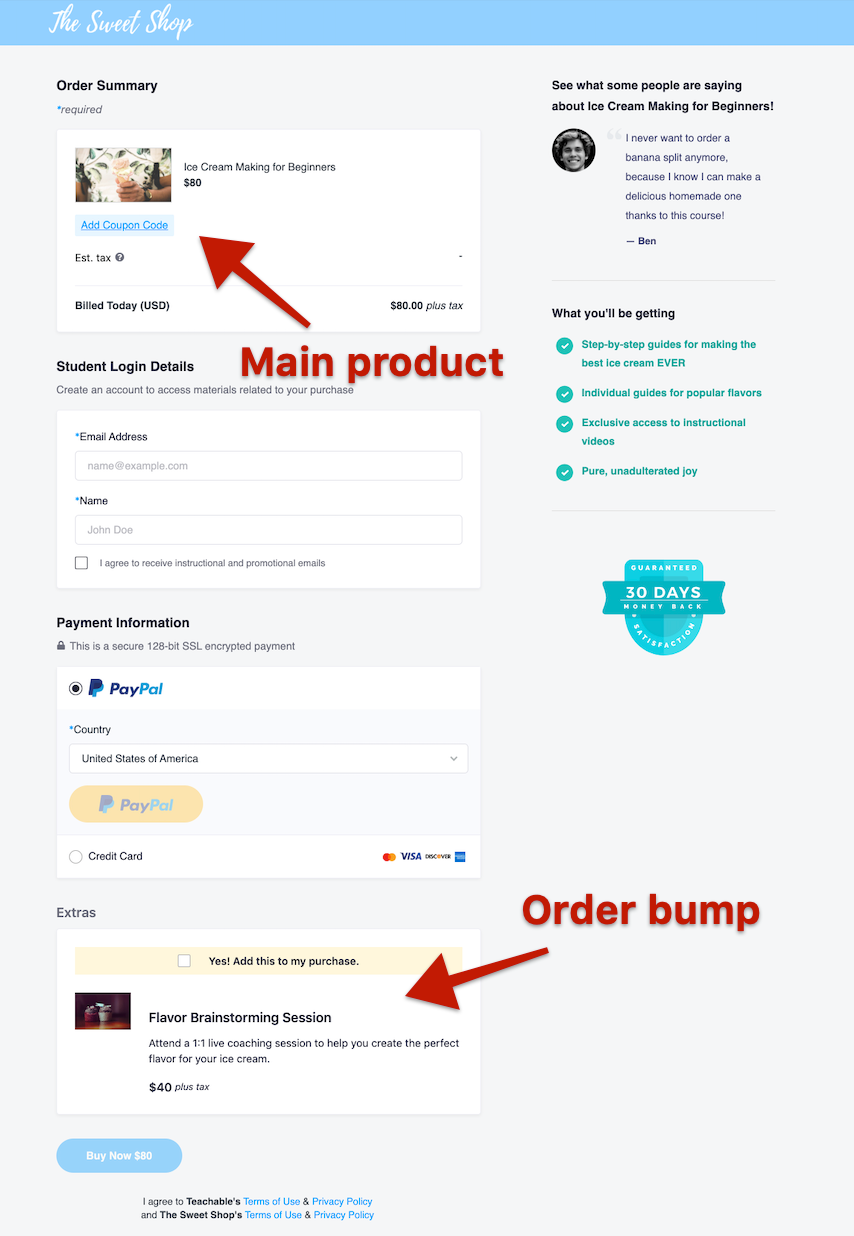
Example: a yoga instructor selling a beginner course could offer a discounted trial membership as an order bump, or pair a lower-priced meditation guide with the course since it complements what the student is already buying.
Order bumps are important for businesses for the same reason the upsell offers are: They help increase average order value and maximize the profit. Similar to upsell offers (which you’ll read about below), business owners can utilize order bumps to present the customer with more of products.
Because order bumps are usually lower-cost offers, business owners can take advantage of that fact and sell products that aren’t as popular or selling as well on their own.
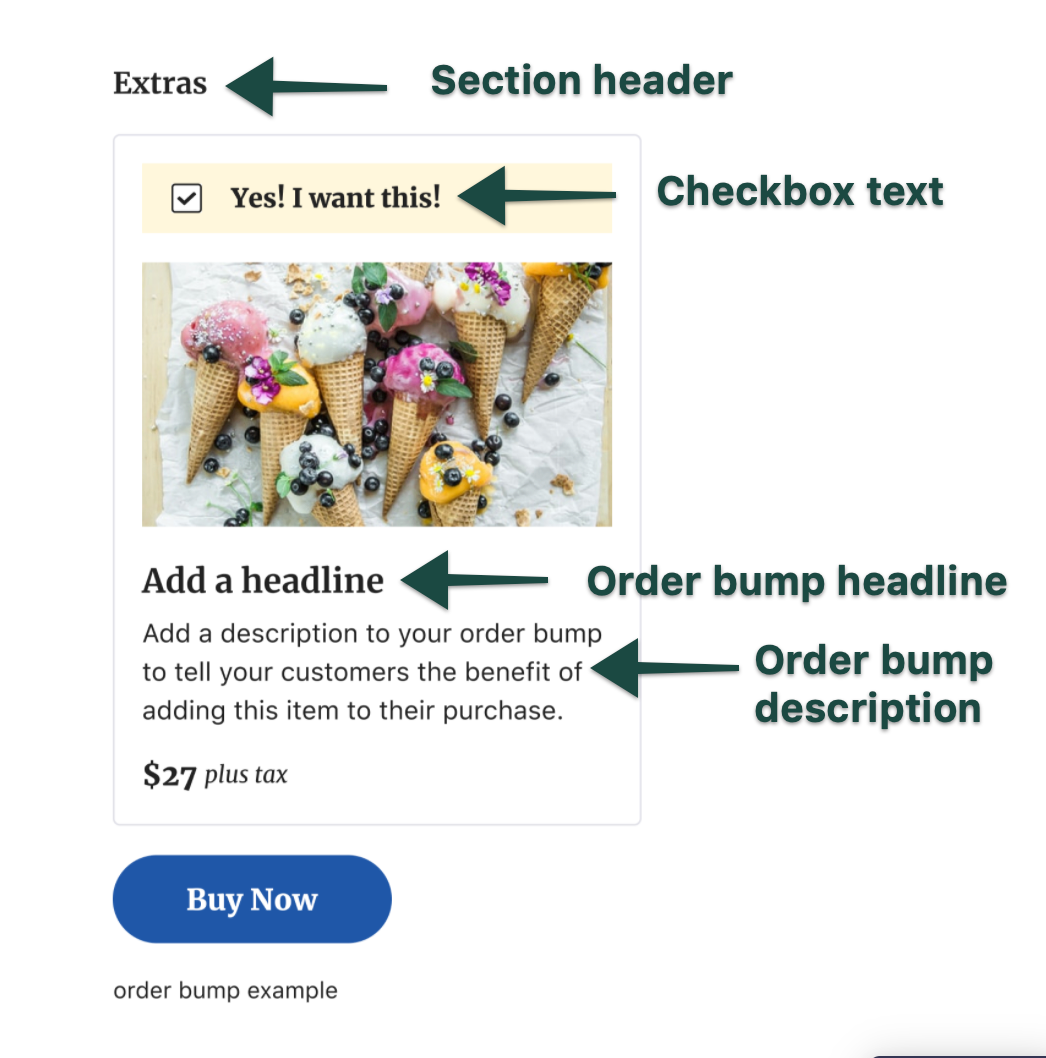
Let’s say you’re a yoga teacher selling online courses about yoga for people at different levels. If you want to maximize your sales, you could offer the a trial membership program as an order bump. Instead of offering a full-price program, offer the customer a discounted option as an order bump. It’s a low-cost offer that doesn’t require much commitment. And, a customer can have a feel of how the membership program could benefit.
Now, let’s take a look at another order bump example. If you’re selling lower price products like a meditation guide, for example, you could use the guide as an order bump during checkout as well.
When students are buying your yoga course, they’ll find value in a meditation guide that can help them in their wellness journey. The lower price guide doesn’t require much consideration. Plus, because it adds value, shoppers may be more likely to add the product to their cart.
An upsell offers another product after the initial sale completes. At launch, upsells can appear inside a course lesson or on a post-purchase page, where the customer sees a related offer and can buy it in one click.
Upsells help increase transactions because it is generally easier to sell to an existing customer than a new one. Effective upsells take few steps and stay closely related to what the customer already bought.
Example: the same yoga instructor could upsell a $40 per month membership program to anyone who just bought the beginner course. The commitment is bigger, but trust from the first purchase makes the offer land.
Upsell offers help increase sales and transactions, in turn helping business owners to maximize their profit. Statistics indicate that it’s easier to sell to existing customers rather than to sell to new ones, so upsell offers are a very effective sales strategy.
It’s important to note that upsell offers are always presented in a way that doesn’t include many steps for the customer to take. They can usually buy the recommended product with one click.
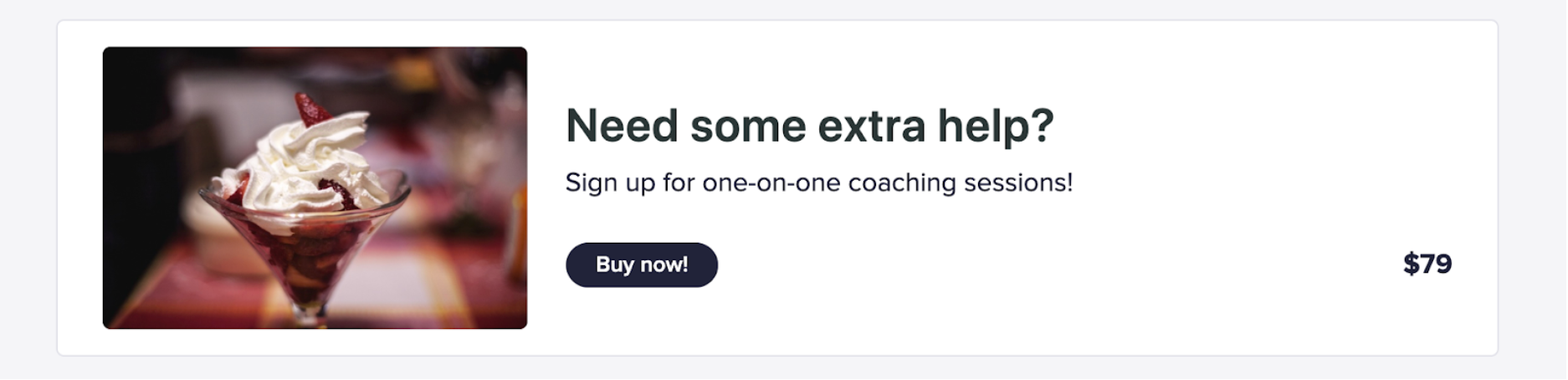
Upsell offers can also help you introduce existing customers to more of your products they might find useful. Not everyone might have the time to sit and endlessly scroll through all of your products, so an upsell offer allows you to put more of your products right in front of your customers.
Let’s come back to our yoga courses and wellness product example. As part of your business, you may run a membership service where students can connect with each other and get monthly yoga and wellness content from you.
A good upsell offer for your business may be to offer your membership program whenever a customer purchases your online course about yoga.
Let’s say your membership program costs $40/month. That’s a commitment that can be intimidating for many. But, if they already bought your course and trust you, then you can upsell your membership program. To the customer, this is a way to get more yoga and wellness content and accountability during their wellness journey. For you, it’s more revenue.
Order bumps and upsells share a goal, increasing revenue, but they work at different moments. Order bumps happen before checkout completes. Upsells happen after.
Price point matters too. A lower-cost offer that needs little justification works best as an order bump. A higher-priced offer that needs more warming up works better as an upsell. Using both together tends to lift average order value the most.
Order bumps: create as many products as you want to test, and set a product's pricing plan to one-time purchase to make it eligible as an order bump. You can also create products that show up only as order bumps and never appear in your main store, which adds an exclusivity angle.
Upsells: at launch, you can place an upsell inside a course lesson or on a post-purchase page. Both formats keep the purchase to one click.
You can easily add an order bump at checkout. Create as many products as you want to experiment with what order bumps work the best for your business. Set up current products you have in your store to show up as order bumps during checkout. Or you can create separate products that won’t show up on your main store and will be offered only as order bumps.
This allows you to play around with the exclusivity factor and allow people to have a selection of products only available for purchase during checkout.
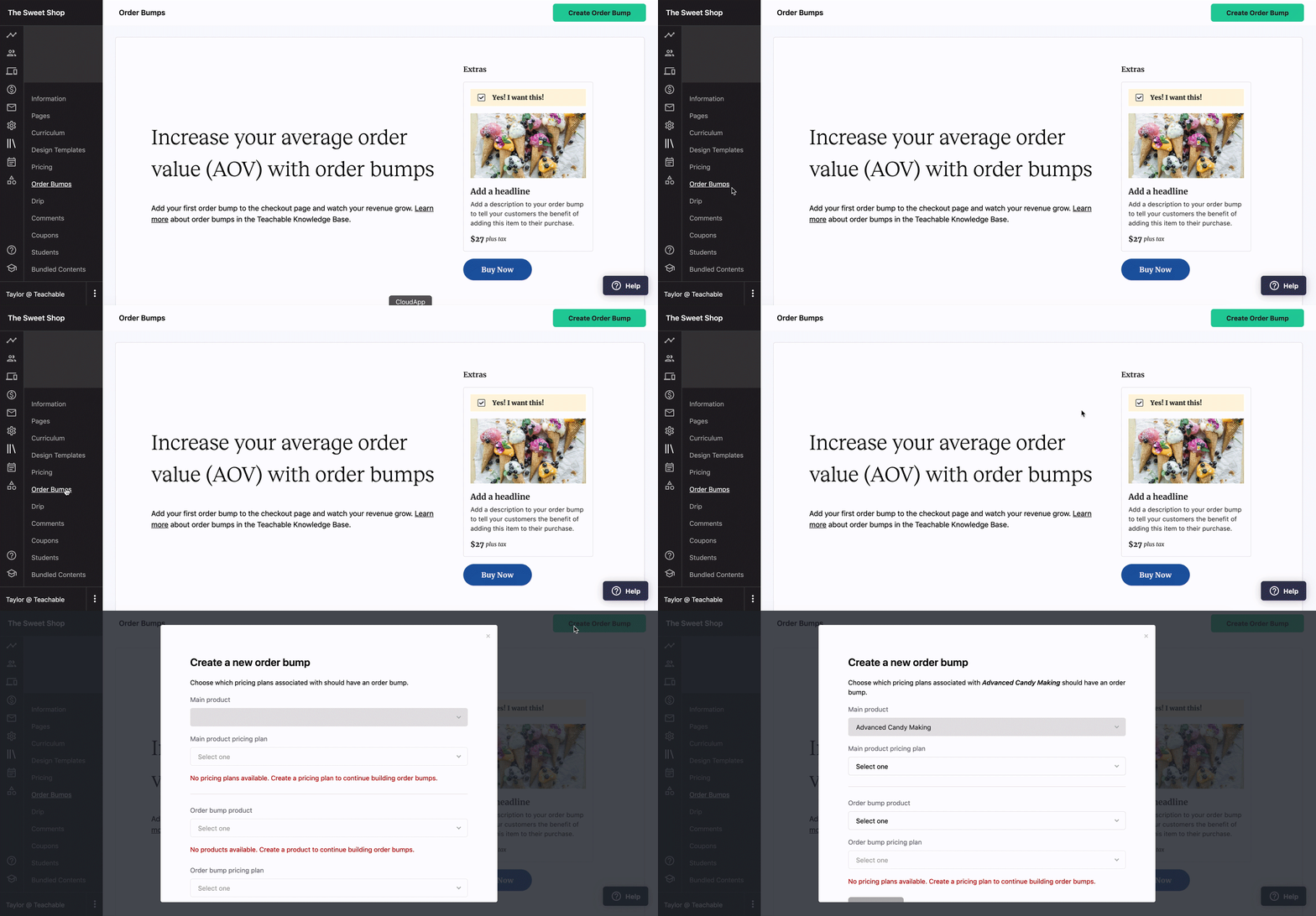
Because order bumps are usually low-price offers, your product should have a one-time purchase pricing plan selected if you want to offer it as an order bump during the checkout. You can find an in-depth, interactive guide on how to set up an order bump on Teachable here.
Teachable allows you to easily create an upsell offer in just a few easy steps, too. There are two options for where you can upsell your students:
If you’re offering products or services that complement your online course, you can take advantage of the tools that allow you to upsell right inside your lesson.
With just a few clicks, you can easily set up a tab with a few sentences explaining the offer and the price—everything your students need to know. And the “Buy now” button allows them to easily take action.
Another option to add an upsell is after checkout on a “Thank You” page. You can customize it and add an upsell, allowing your customers to easily make another purchase. You can find an in-depth, interactive guide on how to set up an upsell offer on Teachable here.